To pick the right AI tutor for students, check four things: whether it explains answers step by step instead of just giving them, whether it works in Indian languages and school syllabi, whether it is safe for children, and whether it costs what your family can afford. A good AI tutor helps a student understand a concept, practise it and check their own work. It should make the student think harder, not do the homework for them.
This guide explains what an AI tutor is, how to compare options, the pros and cons of common choices, and how to get the most value without spending much money.
How do you choose the right AI tutor for students in 2026?
Start by deciding what your child needs most: quick explanations, syllabus practice or research help. Then test each option against the same few criteria. The best choice is the tool your child can use independently while still learning the method behind every answer.
What is an AI tutor for students?
An AI tutor is a software tool that uses artificial intelligence to answer questions, explain topics and give practice exercises in a conversational way. Unlike a textbook, it responds to the specific question a student asks. Unlike a search engine, it can rephrase an explanation when a student says they still do not understand.
AI tutors fall into three broad groups: general chat assistants that students can use for study help, dedicated learning apps built around a curriculum, and classroom tools that teachers use to plan lessons. Most families will use the first two.

Which features matter most in an AI tutor?
Start with the features that affect learning, not the ones that only look impressive. Look for these points:
- Explains the method: it shows working steps for maths and science, not only the final answer.
- Follows the syllabus: it covers the boards and classes your child studies, such as CBSE, ICSE or state boards.
- Supports Indian languages: a student who thinks in Hindi or a regional language can ask questions in it.
- Admits mistakes: a good tutor says when it is unsure instead of making up facts.
- Keeps children safe: it has clear content filters and a way for parents to see usage.
- Works on your device: it runs on the phone or computer your family already has, with a stable internet connection.
What are the pros and cons of AI tutors?
AI tutors offer real benefits. They are available at any hour, they never get impatient, and they can explain the same idea five different ways. For a student in a small town with few good teachers, this access matters a great deal. Many free tools also let a student start without paying.
The drawbacks are just as real. AI tools can give confident but wrong answers, so students must check important facts against their textbook. Heavy use can reduce practice if a student simply copies answers. Free versions often have usage limits, and paid plans add up over a year. Screen time also needs supervision for younger children.
How do you compare AI tutor options side by side?
Use a simple table to compare options on the points that matter for your family. Fill it in for each tool you are considering.
| Factor | What to check | Why it matters |
|---|---|---|
| Cost | Free, free trial or monthly plan | Recurring fees add up over a year |
| Explanations | Shows step-by-step working | Builds understanding, not copying |
| Syllabus fit | Covers your child’s class and board | Keeps help relevant to school exams |
| Language | Supports Hindi or regional languages | Helps students who are more comfortable in them |
| Safety | Content filters and parent visibility | Protects younger children online |
| Device needs | Works on phone or basic laptop | Avoids a costly upgrade |
Test two or three tools with a real homework question before you decide. The one that explains the answer most clearly to your child is usually the right choice.
Which AI tutor is best for a Class 6 to Class 10 student?
For younger students, pick a tutor that uses simple language, gives short examples and encourages them to try a problem before seeing the solution. Parents should sit with the child for the first few sessions. For older students in Class 11 and above, a tool that handles longer explanations, formulas and essay feedback is more useful. For example, a Class 9 student working through algebra may benefit most from a tutor that asks guiding questions rather than giving the final answer straight away.
Teachers and tutors can also use these tools to plan lessons. Our guide on best edtech apps for Indian teachers covers options for the classroom side.
How can students use an AI tutor without losing learning?
Set a simple rule: the student attempts the question first, then asks the AI tutor to check the method or explain a step they missed. Ask it to give hints rather than answers. Verify key facts and formulas in the textbook. Use it for revision, quiz practice and explaining difficult topics, and keep handwritten practice as part of the routine.
For research and project work, a tool built for sourced answers can help. Read our student research guide to Perplexity AI for how to use one carefully. Understanding the wider context of AI in schools also helps, so see AI education in India: trends and opportunities. For a look at AI in classroom teaching, see how to use Gemini AI for classroom teaching in India.
Government guidance on AI in education is developing. The Ministry of Education’s O-SMART programme page describes national efforts to bring digital learning into schools, and the MeitY Artificial Intelligence programme page sets out the government’s wider AI plans.
Do you need a good computer to use an AI tutor?
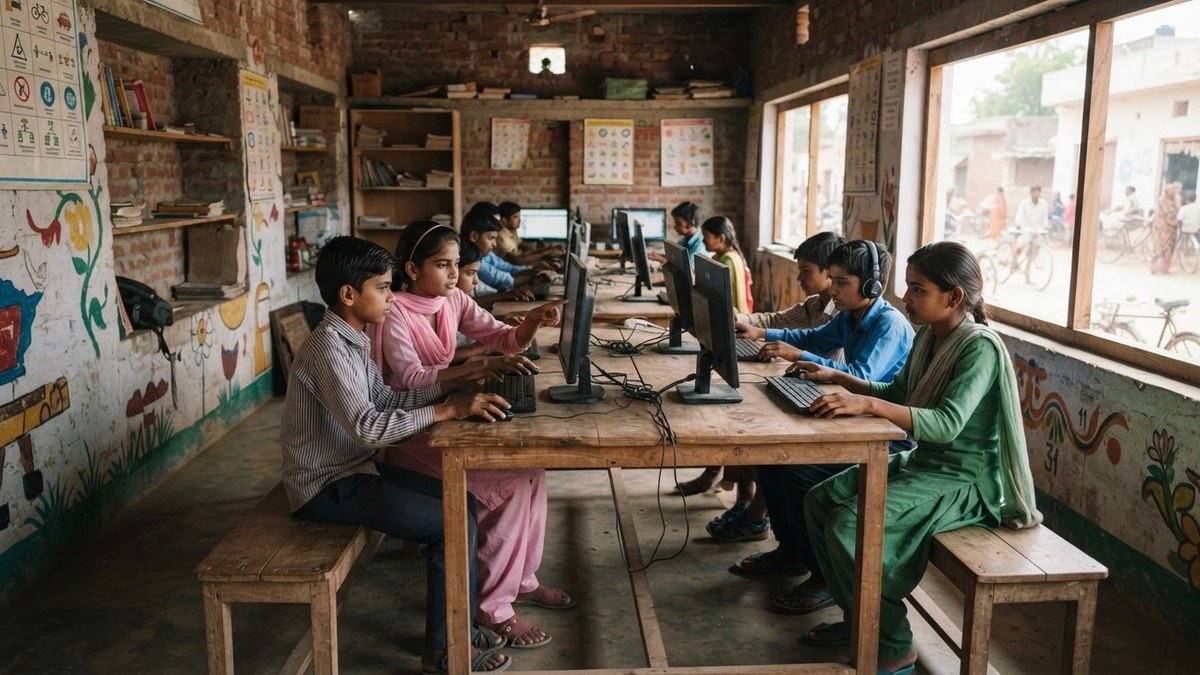
Most AI tutors run in a web browser or phone app, so you do not need an expensive machine. A stable internet connection matters more than processing power for everyday use. Families who want a dependable device for study, coding practice and digital skills can look at a complete setup. The APNA PC bundle includes a mini PC (Intel Core i3 7th Gen, 8GB RAM, 128GB SSD), monitor, keyboard, mouse, webcam and headset, with education software pre-loaded and a 3-year warranty. It is also designed for community learning, which suits a POD.
A POD, or Point of Digital Learning, is a home-based or community learning centre. APNA PC is run through Apni Pathshala, and student safety monitoring is provided by Apni Prerna.
Frequently Asked Questions
Is there a free AI tutor for students in India?
Yes, several AI chat assistants offer a free version that students can use for basic explanations and homework help. Free plans usually have daily usage limits or fewer features. Check the terms, and always verify important answers against the textbook before relying on them for exams.
What is the best AI tutor for students?
The best AI tutor depends on the student’s class, language and budget. Choose the one that explains steps clearly, follows your child’s syllabus and is safe to use. Test two or three options with a real question before deciding.
Can an AI tutor replace a human teacher?
No. An AI tutor is useful for practice, revision and explaining topics at any time, but it cannot notice a student’s emotional needs or give personal feedback the way a teacher can. It works best alongside school and a supportive adult at home.
Are AI tutors safe for children?
They can be, if you use content filters, supervise younger children and choose tools with clear privacy policies. Talk to your child about not sharing personal information and about checking answers rather than trusting every reply.
How much screen time is healthy with an AI tutor?
Set a daily time limit that fits your child’s age and school workload, and take breaks between sessions. Balance screen-based study with offline reading, writing and physical activity.
Ready to set up a reliable study device at home or in your POD? Explore the APNA PC learning bundle for your home or POD and start helping your students learn with confidence.