
Riya’s mother watched her daughter complete an online assignment on a borrowed phone, squinting at a tiny screen, retyping the same paragraph three times. That moment made her realize something had to change. If your child is learning from home without a proper workstation, you’re not alone, and the good news is that fixing this doesn’t have to cost a fortune.
The Real Cost of Not Having a Proper Setup
Many parents assume that a smartphone is enough for their child’s education. And while phones are useful, they weren’t built for hours of focused study, coding practice, typing assignments, or video-based learning. Kids who rely only on phones often struggle with eye strain, slow typing speed, and poor posture.
The India Ministry of Education has been pushing digital literacy as a core part of school readiness. Without a proper computer at home, your child is already playing catch-up before the school day even begins.
Beyond academics, the lack of a dedicated workspace affects focus. A child doing homework on the kitchen table, sharing a screen with siblings, or switching between apps on a phone simply can’t give their best. The environment matters as much as the effort.
The Opportunity Hidden in Home Learning
Here’s what most parents don’t realize: setting up a home learning space is one of the highest-return investments you can make for your child’s future. It’s not just about school assignments. It’s about giving your child access to the same tools that working professionals use every day.
Platforms like DIKSHA, India’s national digital learning platform, offer thousands of free courses and resources that your child can access right from home. But to use them properly, they need a real screen, a keyboard, and a stable system, not a cracked phone screen and a weak Wi-Fi signal.
A proper student workstation at home also builds habits. Children who have a dedicated computer corner tend to study longer, stay more organized, and develop better digital skills over time. You’re not just buying hardware. You’re building a routine.
What an Affordable Home Setup Actually Looks Like
You don’t need to spend a lakh of rupees to create a great learning environment. An affordable computer setup for home education typically includes a reliable desktop or laptop, a comfortable chair, good lighting, and a stable internet connection. That’s really it.
The biggest mistake parents make is either overspending on features their child doesn’t need, or underspending on a machine that slows down after six months. The sweet spot is a mid-range, purpose-built computer that handles schoolwork, online classes, and basic creative tasks without lag.
For families thinking about long-term value, it’s also worth reading about TeachToEarn POD Economics to understand how smart investments in education infrastructure pay off over time.
Step-by-Step: Building Your Home Computer Lab
Here’s a simple plan you can follow to get your child’s home education setup ready without stress:
Step 1: Pick a dedicated space. It doesn’t need to be a separate room. A corner of the bedroom or a quiet spot in the living room works fine. Just make sure it’s away from the TV and has good natural light.
Step 2: Choose the right computer. Look for a machine with at least an Intel i3 processor, 4GB RAM, and a proper operating system. Avoid very cheap second-hand machines that might break down quickly or run outdated software.
Step 3: Set up the essentials. You’ll need a stable internet connection, a mouse, a keyboard, and ideally a pair of headphones for online classes. These don’t have to be expensive brands.
Step 4: Organize the workspace. A small desk, a chair at the right height, and a power strip with surge protection are all you need. Keep the space clean and clutter-free so your child associates it with focus.
Step 5: Install learning tools. Set up a browser, a PDF reader, and any apps your child’s school uses. Bookmark key learning platforms so your child can get started quickly each day.
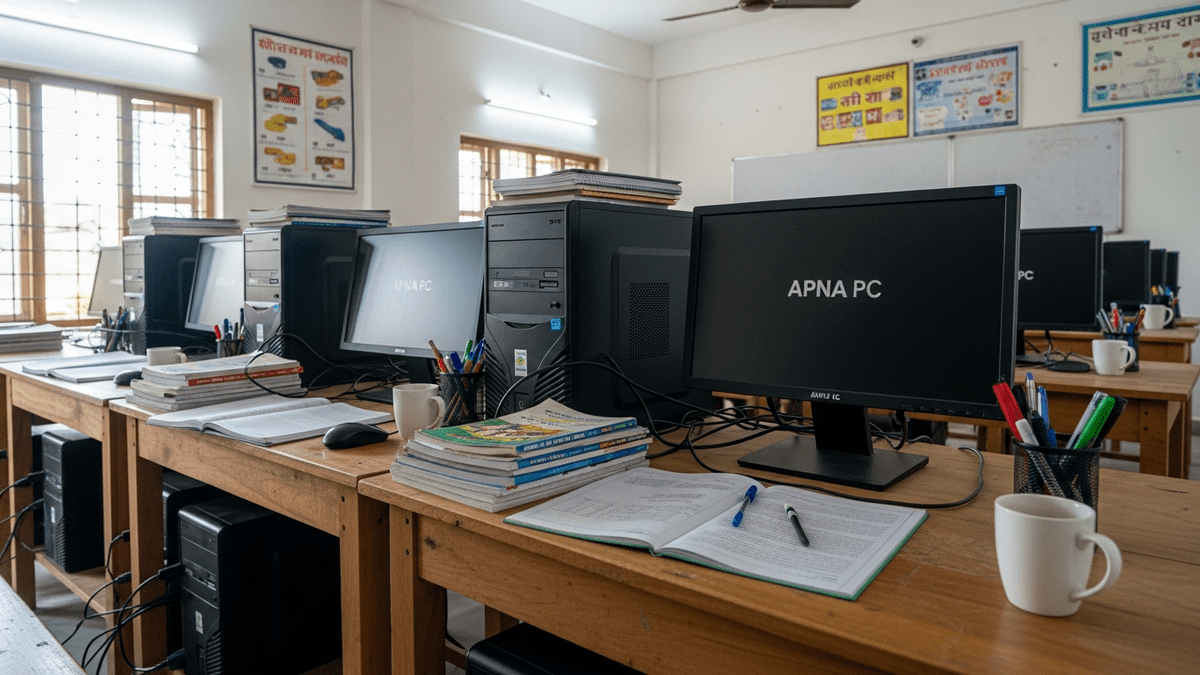
If you want a reliable, ready-to-use option that checks all these boxes, the APNA PC, an affordable computer for learners, is worth a close look. It’s designed specifically for home learners and students in India, and it won’t let you down mid-assignment.
Ready to Give Your Child a Real Advantage?
The APNA PC is built for Indian students and families who want quality without overspending, priced at just ₹30,000 and ready to power your child’s learning from day one. Grab your APNA PC today and give your child the workspace they deserve.