
Your child is being tracked online right now. Most parents don’t realise this.
Here is the truth: Indian students spend an average of 6-8 hours daily on digital devices. Schools push online learning. Parents encourage “screen time for education.” But nobody teaches kids how to stay safe while doing it. Not their school. Not their parents. Not their phones.
Online safety tips for Indian students aren’t optional extras anymore. They’re survival skills. In 2026, cyber threats targeting young people have become sophisticated, personal, and relentless. Phishing attacks masquerade as college admission portals. Predators use fake social media profiles. Data breaches expose student information. And most Indian students have zero defence against any of it.
Let’s be honest: your child’s digital footprint is permanent. Every post, every password, every downloaded file becomes part of their permanent record. Schools aren’t teaching this. Most parents don’t know where to start. Teachers are overwhelmed. This gap is dangerous.
This post breaks down what every Indian student, parent, and teacher needs to know about cyber safety and digital wellbeing right now.

Key Takeaways
- The key online safety tips for Indian students are strong unique passwords, verifying every sender, tightening privacy settings, thinking before posting, avoiding sensitive work on public WiFi and keeping devices updated.
- Common threats include social engineering, fake login pages for exam and admission portals, cyberbullying, data theft and adults posing as peers.
- A permanent digital footprint means posts and shared files can resurface years later for colleges and employers.
- Digital wellbeing also matters: screen-time limits, no phones in the bedroom at night and daily offline time.
- Schools and parents need structured, ongoing cyber safety teaching, ideally on secure supervised computers rather than random videos.
The Real Threats Indian Students Face Online
Cyber threats aren’t abstract concepts. They’re happening to real students in real time.
- Social engineering attacks: Scammers pose as friends, teachers, or college officials. They ask for passwords, personal information, or money. Students fall for it because the messages feel authentic.
- Phishing and malware: Fake login pages for JEE portals, board exam websites, and educational apps steal credentials. Downloaded “study materials” contain viruses that compromise entire family devices.
- Online harassment and cyberbullying: Screenshots of private conversations get shared publicly. Rumours spread on WhatsApp groups. Reputation damage happens in minutes.
- Data theft: Student information from schools, coaching centres, and online platforms gets sold on the dark web. Identity theft follows.
- Predatory behaviour: Adults pose as peers on gaming platforms and social media. They build trust. Then they exploit it.
Most people don’t realise: these aren’t rare incidents. They happen daily in Indian schools and colleges. The difference between safe students and vulnerable ones? Knowledge and habits.
Essential Online Safety Tips for Indian Students
1. Create fortress-level passwords. “123456” and “password” are still the most common passwords among Indian students. Stop. Use 12+ characters mixing uppercase, lowercase, numbers, and symbols. Use different passwords for every account. Write them down in a physical notebook kept at home, not in your phone notes.
2. Never trust the sender. Always verify. Your “school” asks you to click a link and update your details? Call the school directly using the number on their website. Your “bank” sends an SMS about suspicious activity? Go to the bank’s app directly, don’t click the link. Scammers are patient. They’ll wait weeks before asking for money.
3. Your privacy settings are your responsibility. Instagram, Facebook, WhatsApp, YouTube. Every platform has privacy controls. Most students keep them wide open. Check right now: who can see your posts? Who can message you? Who can see your location? Tighten everything.
4. Think before you post. That photo from the party. That rant about your teacher. That location tag at home. Future employers, college admission officers, and bad actors are watching. Posts disappear from your screen, never from the internet.
5. Use public WiFi like you’d use a public toilet. Absolutely, if you must. But protect yourself. Never access banking apps, email, or sensitive accounts on public WiFi. Use a VPN if you must connect. Better yet: use your phone’s hotspot instead.
6. Keep your devices updated. That software update notification you keep dismissing? It’s a security patch. Install it immediately. Same with antivirus software on your computer.
7. Understand digital literacy skills. Digital literacy skills go beyond using apps. They include understanding how data flows, how algorithms work, and how to spot manipulation. This is foundational knowledge for staying safe.
Digital Wellbeing Beyond Safety
Cyber safety isn’t just about avoiding attacks. It’s about your mental health too.
Social media addiction is real. Comparison culture is toxic. Screen time disrupts sleep and focus. Indian students are reporting higher anxiety and depression linked to online behaviour. Here’s what works:
- Set screen time limits. Use your phone’s built-in tools to enforce them.
- Keep phones out of bedrooms after 9 PM. Sleep matters more than notifications.
- Unfollow accounts that make you feel inadequate. Curate your feed intentionally.
- Spend at least one hour daily completely offline. Read. Walk. Talk. Think.
- If something online makes you uncomfortable, talk to a trusted adult immediately. Silence is what predators count on.
What Schools and Parents Should Do
Individual students can’t solve this alone. Schools and parents must step up.
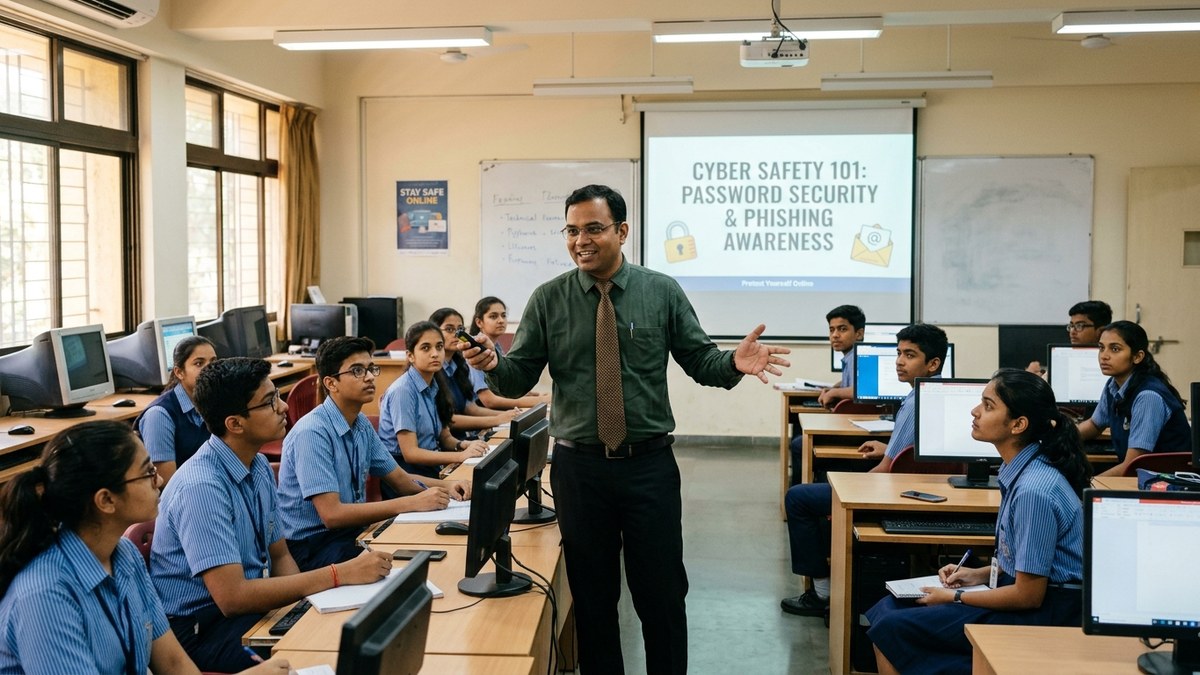
Schools need structured cyber safety curriculum. Not a one-time assembly. Real, ongoing education about threats, prevention, and response. Teachers need training too. Parents need to move beyond “don’t talk to strangers online” and understand actual threats.
Consider setting up a Point of Digital Learning (POD) in your community. A trained educator running a learning centre can teach cyber safety alongside other digital skills. Students learn in a structured environment with proper equipment and guidance. This works better than random YouTube videos and confused parental warnings.
For schools and learning centres serious about digital safety, proper infrastructure matters. A device like APNA PC (Rs.30,000 complete bundle) ensures students learn on secure, monitored systems with proper software, warranty, and technical support. It includes everything: Mini PC i3 7th Gen, 8GB RAM, 128GB SSD, monitor, keyboard, mouse, webcam, headset, education software, 3-year warranty, and installation. No hidden costs. This is how you build a proper learning environment.
Learn more about AI classroom teaching to understand how modern education technology can support both learning and safety.
Your Action Plan Starting Today
Don’t wait for a breach or an incident to act. Start now.
For students: Audit your accounts today. Change weak passwords. Tighten privacy settings. Delete apps you don’t need. Tell a trusted adult if anything online makes you uncomfortable.
For parents: Stop assuming your child knows how to stay safe online. Have the conversation. Check the India Ministry of Education guidelines at education.gov.in for official resources. Set rules around device usage. Model good digital behaviour yourself.
For teachers: Integrate cyber safety into your curriculum. Make it real. Use case studies. Invite cybersecurity professionals to speak. Create a safe space where students can ask questions without judgment.
Online safety isn’t a one-time lesson. It’s a habit. It’s a culture. It’s a responsibility we all share.
Start building that culture today. Your digital wellbeing depends on it.
Ready to build a safe digital learning environment? Explore APNA PC for your school or learning centre today.
For more on student safety fundamentals, check student safety on Wikipedia.
Frequently Asked Questions About Online safety tips for Indian students
What are the most important online safety tips for students?
Use long, unique passwords for each account and keep them in a physical notebook at home. Never act on a link in a message; go to the official app or site directly. Tighten privacy settings on every platform, avoid banking on public WiFi, and install security updates promptly.
What online threats do Indian students face most?
Common ones are scam messages from people posing as friends, teachers or officials, fake login pages for exam and college portals, cyberbullying through shared screenshots, theft of student data, and adults pretending to be peers on games and social media.
How can parents keep their child safe online?
Move past general warnings and learn the actual threats, then talk them through with your child. Set clear device rules, keep phones out of bedrooms at night, and model good habits yourself. Check the education ministry site for official resources.
Is a computer safer than a phone for student learning?
A shared home or centre computer is easier to supervise, keep updated and load with proper security software than a personal phone a child carries everywhere. For structured learning and cyber safety practice, a supervised computer is the better base.
How should schools teach cyber safety?
As an ongoing part of the curriculum, not a single assembly. Use real case studies, train teachers, and give students a space to ask questions without judgement. A community learning centre with proper equipment can teach safety alongside other digital skills.
India’s CERT-In, the national computer emergency response team under MeitY, regularly issues public advisories on phishing, weak passwords and safe online practices.