
Your child is sitting at home. No school bus. No crowded classrooms. No fixed timetables that don’t match your family’s rhythm. This is homeschooling with a computer, and it’s not a luxury anymore in India. It’s a practical choice for thousands of parents who refuse to accept that traditional schooling is the only path.
Here is the truth: homeschooling India with computer works because it puts control back in your hands. Not the government’s. Not the school’s. Yours.
But here’s what most people do not realise. A computer alone is not enough. You need the right setup, the right software, and the right mindset. This guide will show you exactly what that looks like.
Why Homeschooling With a Computer Makes Sense for Indian Families
Let us be honest. The Indian education system is under pressure. Classes are overcrowded. Teachers are stretched thin. Your child might be learning in a room with 50 other kids, fighting for attention.
Homeschooling with a computer changes this equation:
- Your child learns at their own pace, not the class average pace
- You choose the curriculum that matches your values and goals
- There’s no commute, no wasted time, no peer pressure distractions
- You can combine structured lessons with real-world learning
- Costs are lower than private school, especially when done right
The computer becomes your classroom, your library, and your tutor rolled into one. But only if you set it up properly.
The Essential Setup: What You Actually Need
Most parents overthink this. They imagine they need expensive laptops or fancy software. Wrong.
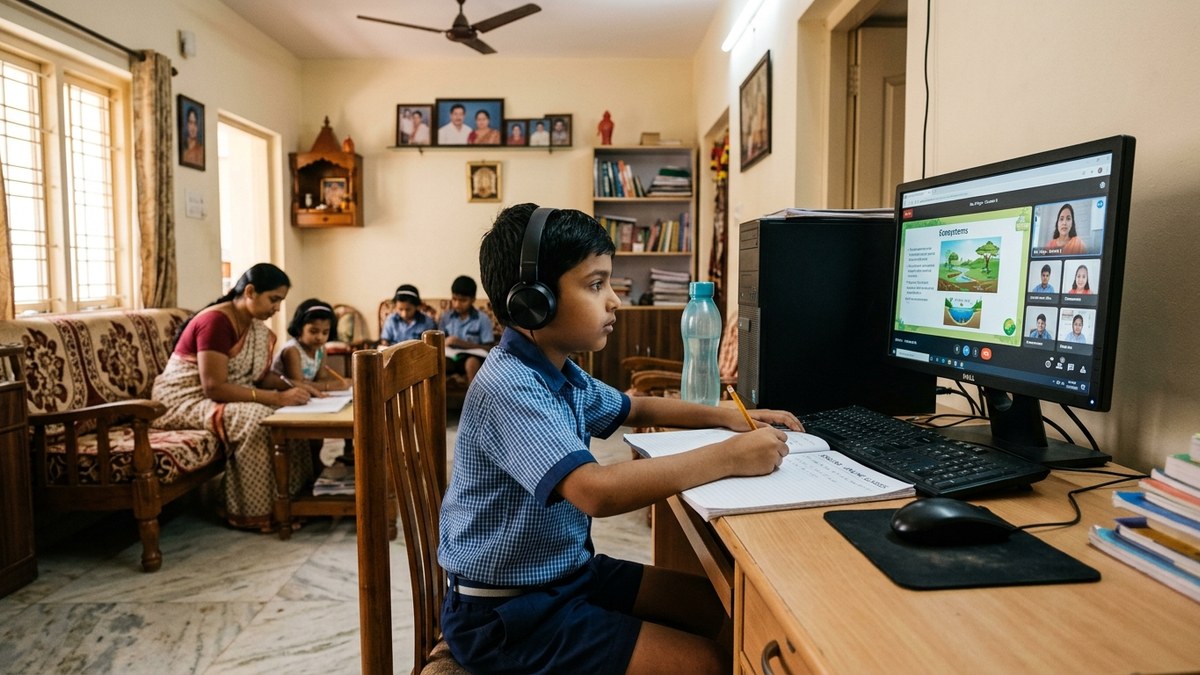
Here’s what works: A reliable desktop computer with decent specs, proper educational software, a good internet connection, and a quiet learning space. That’s it.
The APNA PC bundle solves this for Indian families. It comes with everything: Mini PC i3 7th Gen with 8GB RAM and 128GB SSD, monitor, keyboard, mouse, webcam, headset, education software, 3-year warranty, and installation. All for Rs.30,000. No hidden costs. No surprises.
Why a desktop instead of a laptop? Better durability. Better value. Better for a fixed learning space. And if you’re running a Point of Digital Learning (POD) from home or your community, a desktop is professional and reliable.
The education software included means you don’t have to hunt for resources or pay for expensive subscriptions. It’s ready to go from day one.
Setting Up Your Home Learning Space
The computer is hardware. The space is psychology.
Your child needs a dedicated learning corner. Not the living room sofa where the TV is playing. Not the bedroom where they’ll get distracted by toys. A specific desk, in a specific room, that signals “this is where learning happens.”
Here’s the practical checklist:
- Desk height: Elbows at 90 degrees when typing
- Chair: Back support, feet flat on floor
- Lighting: Natural light from the side, no glare on screen
- Internet: Stable connection, ideally wired if possible
- Webcam and headset: Essential for live sessions or tutor interaction
- Quiet hours: Agree with family about learning time without interruptions
This setup works whether you’re homeschooling one child or running a POD where multiple students come to learn together.
Creating Your Homeschool Schedule and Curriculum
Here is the truth: structure matters more than freedom.
Parents often think homeschooling means “learn whenever you want.” That’s chaos. Your child needs a schedule. It doesn’t have to match school hours, but it has to be consistent.
A typical homeschool day might look like this:
- 9:00-10:30 AM: Core subjects (math, language, science) using computer software
- 10:30-10:45 AM: Break
- 10:45 AM-12:00 PM: Project work, research, or supplementary learning
- 12:00-1:00 PM: Lunch and outdoor time
- 1:00-2:00 PM: Arts, physical education, or skill-building
The computer handles structured content. You handle mentoring, asking questions, and connecting learning to real life. For curriculum, you can follow the CBSE or state board syllabus, use open educational resources, or mix approaches. The Ministry of Education provides guidelines, and many resources are free through Digital India initiatives.
Monitoring Progress and Staying on Track
Most people do not realise that homeschooling requires more record-keeping, not less.
You need to track:
- What topics your child has completed
- Areas where they’re struggling
- Assessments and grades
- Overall progress toward learning goals
The APNA PC software includes tools for this. You can see what your child is learning, how much time they spend on each subject, and where they need help. This data is gold. It lets you adjust quickly instead of discovering problems months later.
If you’re running a POD, this tracking becomes your proof of quality. Parents paying you for education want to see results. Data shows results.
When to Bring in a Tutor or Join a POD
Homeschooling does not mean you have to teach everything yourself.
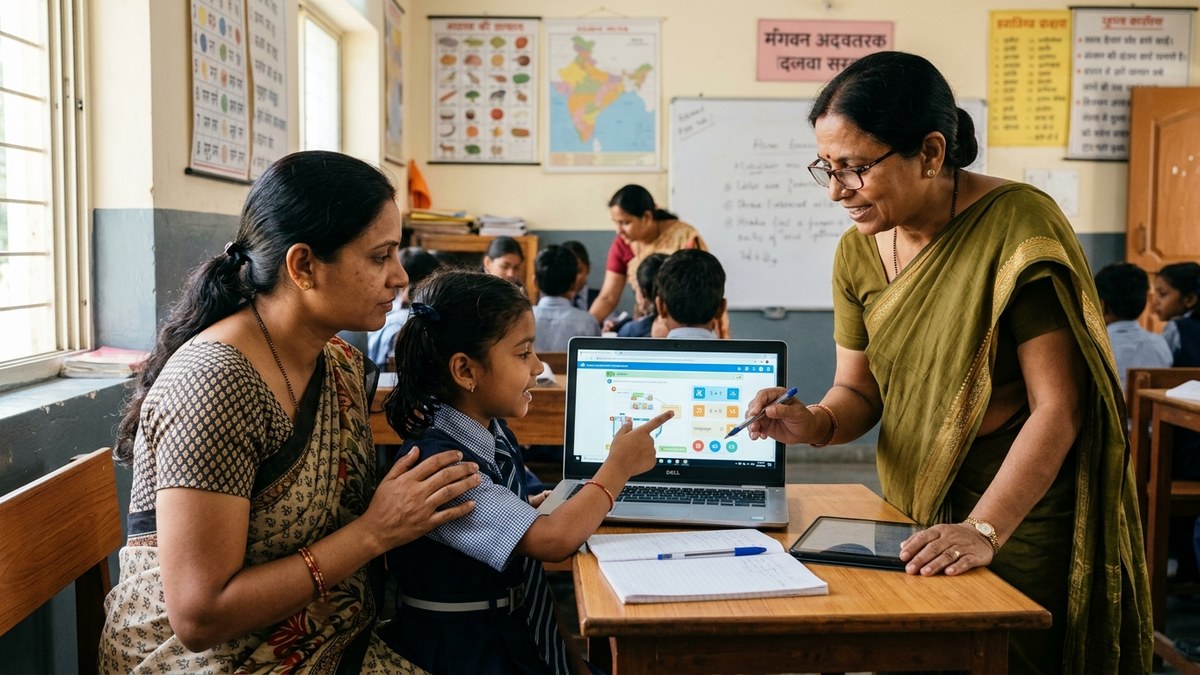
Many parents use a hybrid model: computer-based learning for independent study, plus a tutor or Point of Digital Learning centre for guidance and accountability. This works especially well if you’re working or managing multiple children.
A POD is a community learning centre run by a trained educator using computers and structured curriculum. It combines the personalization of homeschooling with the social interaction and professional guidance of a school. For Indian families, this is often the sweet spot.
If you’re considering starting a POD, the APNA PC bundle is your foundation. One setup can serve 5-10 students rotating through sessions.
Addressing Common Concerns
Most people do not realise that homeschooling raises specific questions. Here are the real answers:
What about social interaction? Homeschooled children interact with siblings, cousins, neighborhood kids, and community members. Often more meaningfully than in a crowded school. Plus, online group classes through your POD add peer learning.
What about board exams? Homeschooled students can appear for board exams as private candidates. You’ll need to register with your state board. Check their requirements.
What about college admissions? Colleges care about grades and entrance exam scores, not whether you attended a school building. Homeschooled students with good marks get into good colleges.
What about cost? A quality setup like APNA PC (Rs.30,000) plus internet costs far less than private school fees. And you control ongoing expenses.
Getting Started: Your First Steps
Here is the truth: you don’t need permission to homeschool in India. You need a plan.
Start here:
- Decide on your curriculum and learning goals
- Set up your dedicated learning space
- Get a reliable computer setup (APNA PC is a complete solution)
- Choose your teaching approach: solo, with a tutor, or through a POD
- Create a realistic schedule
- Start small, adjust based on what works
You might also want to explore additional resources like digital health records to track your child’s overall development, or look into scholarship portals if you qualify for financial support.
The Ministry of Education has guidelines, and the Digital India initiative supports digital learning infrastructure. Traditional schooling is one option. Homeschooling with a computer is another.
Ready to start? The APNA PC bundle is your complete starting point for home education. Visit our page to learn more and take the first step today.
Check out APNA PC here and give your child the education they deserve.