
Your school has a computer period. It also has everyday questions nobody has time to investigate. Which library shelf needs attention? Why does the stationery cupboard run out unexpectedly? Where could the class reduce paper waste?
Bring those two worlds together. A small, supervised data project gives students a reason to use a spreadsheet, question an answer, and explain a decision. Parents get something more meaningful than another photograph of children sitting at computers.
For a TeachToEarn POD or school, APNA PC can become a learning proof station: a place to organise observations, save revisions, and demonstrate what a learner can actually do. The starting point is not a complicated dashboard. It is one useful question.
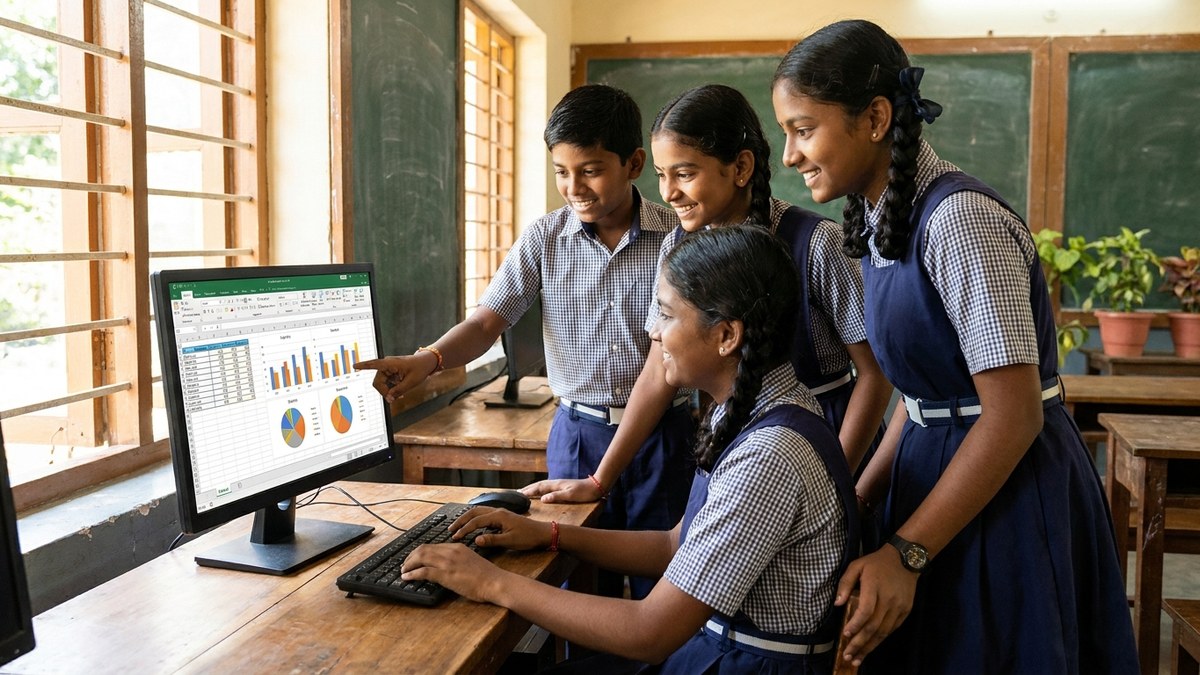
Pick a Question Children Can Investigate Safely
Choose a problem with a small scope and a clear audience. “Improve our whole school” is too broad. “Which of these three book categories gets borrowed most during our class library period?” is manageable.
Keep the activity separate from sensitive school administration. Students do not need fee records, examination marks, medical details, or named attendance lists. Use anonymous counts, teacher-created examples, or non-personal observations. Get permission before observing a shared space, and avoid recording identifiable children.
A POD without access to school facilities can use a fictional classroom library. The learning still counts if the data is clearly labelled as a practice dataset rather than presented as a real survey.
Before anyone touches the keyboard, agree on three things: the question, what one row represents, and what decision the finished work could support. This prevents a colourful chart from becoming an answer to a question nobody asked.
Build the Spreadsheet Around Decisions, Not Decoration
Consider an illustrative library project for learners who already understand basic counting. The teacher provides anonymous borrowing totals for three book categories across four sessions. There are no student names and no borrowing histories.
Each row represents one category during one session. The columns contain the session date, book category, and number borrowed. Students first enter the observations, then check whether every count has a matching category and date.
Ask them to calculate category totals and create a simple bar chart. Now comes the important part: interpretation. A larger total does not automatically mean the school should buy more books in that category. Perhaps that shelf had more books available, or a teacher recommended it that week.
Students should write a short recommendation with one limitation: “Adventure books were borrowed most in these sessions. We should check availability before recommending purchases.” That sentence shows more judgment than a polished chart with an overconfident conclusion.
Save the original observations separately from the working spreadsheet. If a number changes, learners should be able to explain whether they corrected an entry or added a new observation. Never overwrite inconvenient results to make the recommendation look stronger.
Use AI as a Reviewer, Not the Source of Evidence
AI can suggest questions to ask about a chart or help simplify a rough explanation. It cannot replace the observations your students collected. A plausible number generated by a chatbot is not school data.
Where an approved tool is available, the facilitator can demonstrate a prompt using fictional information: “What other explanations could account for higher borrowing in one category?” Learners then decide which suggestions fit the actual project.
Keep personal information out of prompts and follow the tool’s age requirements and your school’s policies. There is no need for children to open individual accounts just to complete this activity. If AI access is unsuitable, use the same review questions on paper.
Require students to verify every total using the spreadsheet and a small manual check. Ask them to identify one AI suggestion they rejected and explain why. The evidence of learning is the student’s reasoning, not how fluent the generated paragraph sounds.
Run a POD Session Where Every Learner Contributes
A shared computer can support this project if the roles rotate. One learner enters data, another checks the source, and a third questions the interpretation. Swap roles so the confident typist does not quietly do everything.
For a first session, spend ten minutes defining the question, fifteen entering and checking data, fifteen interpreting a chart, and ten rehearsing the explanation. Treat this as a suggested timetable, not a promise that every group will finish at the same speed.
Younger learners can work with tally marks and a prepared spreadsheet. More experienced learners can compare categories or explain why unequal observation periods make totals misleading. Keep the central question shared while adjusting the difficulty.
At an APNA PC station, save a compact project folder containing the source counts, working file, final chart, and reflection. Use learner codes where appropriate, restrict access, and keep a school-approved backup. Check the available software and setup rather than assuming every device includes a particular spreadsheet or AI tool.
Show Parents the Correction, Not Just the Chart
During a short parent demo, ask the child to open the project and explain three things: what they investigated, what they corrected, and what the evidence does not establish. Let the learner operate the computer instead of having the facilitator deliver the entire presentation.
A useful portfolio includes the first attempt and the revised version. A corrected duplicate entry, a clearer chart label, or a more cautious conclusion makes progress visible. Share only that child’s permitted work, not the entire group’s folders.
School leaders can track how many learners can independently enter a record, check a total, and explain a limitation before and after the project. Also record the support each learner needed. These are practical indicators of capability, not proof that one activity caused broader academic improvement.
If the project leads to a school change, document that separately. Moving a library display is an action; improved access would require a follow-up check. Honest boundaries make the demonstration more credible.

Set Up Your First Data Project This Week
Choose one safe question today, prepare a small dataset, and reserve a supervised session before next week’s computer period. Give parents a specific invitation: come and see how your child checks evidence and explains a decision.
Explore APNA PC at https://www.teachtoearn.in/apna-pc/ to review the current offering and discuss a suitable learning setup for your school or TeachToEarn POD. Start with the activity you want learners to demonstrate, then confirm the equipment and software it requires.
A school transformation story does not have to begin with a new building. It can begin with a child who can say, “Here is what we found, here is how we checked it, and here is what we should investigate next.”