
Why Most Teachers Fail at Grading (And How Rubrics Fix It)
Here is the truth: Most teachers grade inconsistently. One day a student’s essay gets 8/10. The next day, identical work gets 7/10. This happens because grading without a clear rubric for assessment is guesswork dressed up as evaluation. You are marking based on mood, fatigue, or vague feelings about “quality.” Your students suffer. Their parents stay confused. And you waste hours justifying marks you cannot defend.
A grading rubric changes everything. It is not just a scoring sheet. It is a contract between you, your students, and their families. It says: “Here are the standards. Here is what excellence looks like. Here is what needs work.” No ambiguity. No arguments. Just clarity.
Let us be honest: If you run a tuition centre, a Point of Digital Learning (POD), or teach from home, you need rubrics. Your reputation depends on fair, transparent assessment. Your students need to know exactly what they are being measured against. Their parents need proof that their money is buying real learning, not just seat time.
What Is a Rubric for Assessment, Really?
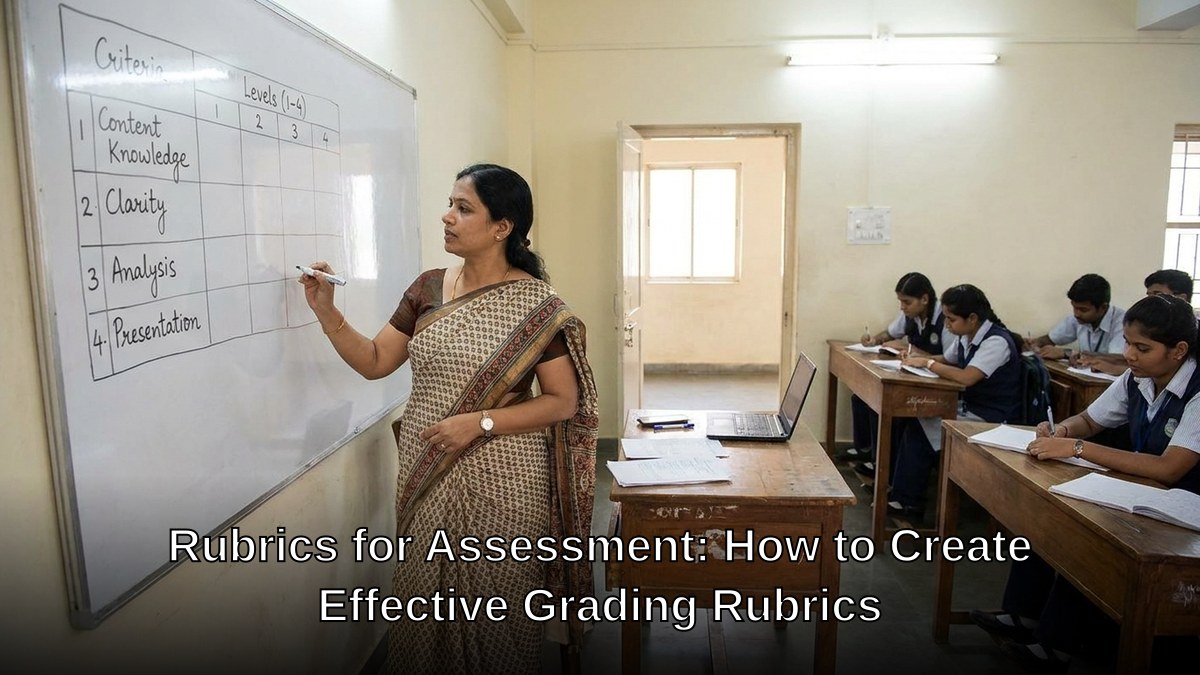
A rubric for assessment is a detailed scoring guide. It breaks down complex skills into measurable criteria. Each criterion has performance levels, usually ranging from “Needs Improvement” to “Excellent.” The best assessment rubric examples show this clearly.
Think of it like a recipe. A recipe does not say “add enough flour.” It says “250 grams flour.” A rubric works the same way. Instead of saying “good writing,” it says: “Sentences are clear, varied in length, and error-free.” That is measurable. That is fair.
Most people do not realise that rubrics save time, not create it. Yes, building one takes an hour or two. But then you grade faster. You give better feedback. Students improve quicker. You explain marks in seconds, not minutes.
How to Make Rubrics That Actually Work
Step 1: Define What You Are Actually Assessing
Do not assess “everything.” Pick one skill or outcome per rubric. If you are evaluating a student’s presentation, focus on content, delivery, and visual aids. Do not throw in “punctuation” unless it is genuinely part of the presentation rubric.
Step 2: Create Clear Performance Levels
Most rubrics use four levels:
- Excellent (4): Exceeds expectations. Student shows mastery and originality.
- Good (3): Meets expectations. Student demonstrates solid understanding.
- Developing (2): Partially meets expectations. Student shows effort but has gaps.
- Needs Improvement (1): Does not meet expectations. Student requires significant support.
Do not use vague language like “good” or “okay.” Use observable, specific descriptors. Instead of “good grammar,” write “Fewer than two grammatical errors per paragraph. Tenses are consistent throughout.”
Step 3: Weight Your Criteria
Not all criteria matter equally. If you are assessing an essay, content might be worth 50%, structure 30%, and grammar 20%. Say this upfront. Your grading rubric should reflect these weights.
Step 4: Test Your Rubric on Real Work
Before using your assessment rubric with students, grade a few sample pieces. Can you apply it consistently? Do the levels make sense? Adjust before rolling it out.

Assessment Rubric Examples for Common Tasks
For Written Assignments: Criteria should include thesis clarity, evidence quality, logical flow, and writing mechanics. Each gets its own row with four performance levels.
For Presentations: Assess content accuracy, delivery confidence, visual design, and audience engagement. Be specific about what “confident delivery” means. Does eye contact matter? Does pacing? Say it.
For Group Projects: Include individual contribution, collaboration quality, final product quality, and time management. This prevents one student from carrying the group.
For Practical Skills: If you teach coding, design, or craft, your rubric should assess technique, creativity, problem-solving, and finishing quality. Show assessment rubric examples from your field so students know what mastery looks like.
The best teachers use rubrics as teaching tools, not just grading tools. Share them before assignments. Discuss what “excellent” means. Let students self-assess using the same rubric. Suddenly they understand the standard. They work smarter. Your job becomes coaching, not policing.
Why Digital Tools Make Rubrics Easier
Creating and managing rubrics by hand is painful. You need software that lets you build rubrics once, reuse them, and track student progress. This is where having the right setup matters.
If you are running a POD or tuition centre, you need reliable hardware and education software. This is not optional. Paper rubrics get lost. Handwritten feedback is illegible. Spreadsheets crash.
APNA PC is built for educators like you. The complete bundle includes education software, a Mini PC with i3 7th Gen processor, 8GB RAM, 128GB SSD, monitor, keyboard, mouse, webcam, and headset. Everything you need to create, manage, and share rubrics digitally. Three-year warranty. Installation included. Rs.30,000 for the complete setup.
With APNA PC, you can build assessment rubrics in minutes. Store them in the cloud. Share them with students and parents. Track progress over time. Generate reports that show growth. This is not about being fancy. It is about being effective.

The Real Impact of Clear Rubrics
When you use rubrics consistently, something shifts. Students stop asking “Why did I get this mark?” They already know. Parents stop complaining because the standards are transparent. You stop second-guessing yourself because the criteria are objective.
Your students also improve faster. They know exactly what to fix. They are not guessing. They are targeting. This is why rubrics are not just assessment tools. They are learning accelerators.
If you want to build credibility as a tuition teacher, edupreneur, or POD educator, start here. Master rubrics for assessment. Use them consistently. Share them openly. This alone will set you apart from 80% of the competition.
And if you want to make the process smooth and professional, invest in the right tools. APNA PC makes it simple. Get your complete bundle today.
Remember: Fair, transparent assessment is not a luxury. It is your responsibility to your students and their families. Rubrics make it possible. Digital tools make it sustainable.
Start building your first rubric this week. Pick one assignment. Define three criteria. Create four performance levels. Use it. Refine it based on what you learn. By next month, you will wonder how you ever graded without one.
Also explore student productivity apps to complement your rubric-based teaching, and help your students build a student portfolio that showcases their best work.
For context on India’s education landscape, check education in India and UNICEF India education initiatives.