
AI tools can create digital worksheets in minutes instead of hours, helping you design varied, engaging practice materials without starting from scratch. Teachers and tuition centre owners across India are using AI to generate questions, format layouts and adapt content for different learning levels. This guide shows you exactly how to use free and paid AI tools to build worksheets that save time and fit your students’ needs.
What are digital worksheets and why should you use AI to create them?
A digital worksheet is a practice document, questions, exercises, puzzles or activities, delivered on screen or printed from a computer file. Unlike handwritten or manually typed worksheets, AI-generated ones adapt to your subject, student age and learning goal in seconds.
AI worksheet makers let you skip the repetitive work: writing similar questions in different forms, checking grammar, formatting columns and tables, or designing visuals. Instead, you describe what you need (“10 multiplication word problems for Class 4, medium difficulty, with a space for working”), and the AI drafts it. You then review, edit and personalise it in minutes.
For home-based tutors, POD owners and aspiring edupreneurs, this speed matters. You can create fresh worksheets weekly, match them to competency-based learning goals, and spend more time on one-to-one feedback instead of writing.
Which AI tools work best for creating worksheets?
The best AI tool depends on what you teach, your budget and how much control you want over the final design. Here are the main types:
- General text AI (ChatGPT, Claude, Gemini): Free or low-cost; good for writing questions and explanations. You copy the text into a document editor like LibreOffice to format it.
- Dedicated worksheet makers (Canva, Worksheets.com, Quizizz): Paid or freemium; templates and drag-and-drop design built in. Faster for visual layouts.
- Subject-specific tools (Khan Academy, DIKSHA): Free or government-backed; aligned to Indian curricula. Limited customisation but reliable content.
- Image and design AI (DALL-E, Midjourney): Paid; creates illustrations to add to your worksheets, useful for younger classes.
Start with free tools like ChatGPT or DIKSHA digital learning platform to test the workflow. Once you see the time saved, invest in a paid tool if your POD or tuition centre budget allows.

How do you create a worksheet using ChatGPT or Claude?
This is the fastest method for most Indian teachers. You need a computer with internet, a free account on ChatGPT or Claude, and LibreOffice (free, pre-loaded on APNA PC).
- Open ChatGPT or Claude in your browser. Go to openai.com or claude.ai, sign in with your email, and start a new chat.
- Write a clear prompt. Be specific about subject, class, number of questions and difficulty. Example: “Create 8 English grammar questions for Class 6 on present tense verbs. Include 2 fill-in-the-blank, 2 multiple choice, and 4 sentence rewriting. Add an answer key.”
- Copy the AI’s output. The AI generates the questions in plain text. Select all (Ctrl+A), copy (Ctrl+C).
- Paste into LibreOffice Writer. Open LibreOffice (free on any computer), create a new document, and paste (Ctrl+V). The text appears in a basic format.
- Format and design. Add a title, your name, date and class. Use LibreOffice’s tools: font size, bold for headings, bullet points for options, page breaks between sections. Add space below each question for student answers.
- Add visuals (optional). Insert a school logo or simple shapes using LibreOffice’s Insert menu. If you want custom illustrations, use free tools like Canva or ask an image AI.
- Save and export. Save as .docx (Microsoft Word format) so you can edit later, or export as PDF to print or share digitally.
- Review for accuracy. Read through once. AI sometimes makes errors in maths, spellings or context. Fix these before giving to students.
How can you use paid tools like Canva and Quizizz to design faster?
If you want professional layouts without learning LibreOffice formatting, paid tools speed up the process further.
Canva: Canva (canva.com) has worksheet templates for every subject. You pay a monthly fee for the full library. Search “Class 4 maths worksheet” or “English comprehension,” pick a template, edit the text using AI prompts, and download as PDF in one click. Canva’s built-in AI also suggests colours and layouts.
Quizizz: Quizizz (quizizz.com) is an interactive quiz and worksheet platform. You describe your topic and it generates questions. Students answer on their phones or computers, and you see instant results. It’s useful for formative assessment and keeping students engaged, though it involves a subscription cost.
Both tools let you save templates, so you build a library over time. Reusing and tweaking templates cuts creation time significantly after the first month.
How do you adapt AI worksheets for different student abilities?
One of AI’s biggest strengths is generating multiple versions of the same worksheet for different student abilities. This is key to supporting growth mindset in your classroom or POD.
Ask your AI tool to create three versions in one prompt: “Write 6 fractions questions for Class 5. Version 1 (easy): add fractions with the same denominator. Version 2 (medium): add and subtract mixed numbers. Version 3 (hard): word problems with fractions and decimals. Each version should take 10 minutes.”
The AI generates all three in seconds. You then assign Version 1 to students who need more practice, Version 2 to most students, and Version 3 to advanced learners. This differentiation takes almost no extra time.
You can also ask the AI to simplify language for younger students or add visual cues (e.g., “underline the verb in red”). The more specific your instruction, the better the output.
What free and low-cost AI tools are available for Indian teachers?
Not every teacher has a budget for premium tools. Here are reliable free or very low-cost options:
- ChatGPT (free tier): Limited to a number of messages every few hours, but enough to draft several worksheets per day. Paid version is available at a monthly cost.
- Google Gemini: Free, no limits. Similar to ChatGPT. Works in your browser at gemini.google.com.
- DIKSHA: Free government platform with Ministry of Education backing. Aligned to Indian curricula. Limited AI features but excellent for finding existing worksheets to adapt.
- LibreOffice and Canva free tier: LibreOffice is completely free and pre-installed on APNA PC. Canva free tier has basic templates; paid plans are available at monthly rates.
- Worksheets.com: Free basic membership. Teachers upload and share worksheets; you can also generate new ones using their builder.
Many POD owners start with free tools and upgrade only when they have consistent income from their centre. There’s no shame in the free approach; quality worksheets are possible without spending money upfront.
What mistakes should you avoid when using AI for worksheets?
AI is powerful but not perfect. Watch out for these pitfalls:
- Trusting AI answers without checking: AI sometimes makes maths errors or gives wrong facts. Always solve the worksheet yourself before giving it to students.
- Using AI output exactly as-is: Generic AI text sounds robotic. Add your own examples, local context or student names to make it personal and engaging.
- Ignoring Indian curriculum alignment: AI trained on global data may not match your state board or NCERT syllabus. Cross-check topics and difficulty levels against your textbook.
- Overloading worksheets: AI can generate many questions in seconds, but students don’t need that many. Stick to 5 to 10 focused questions per worksheet.
- Forgetting to save templates: Once you create a good worksheet, save it. Reuse and tweak it for next term instead of starting from zero each time.
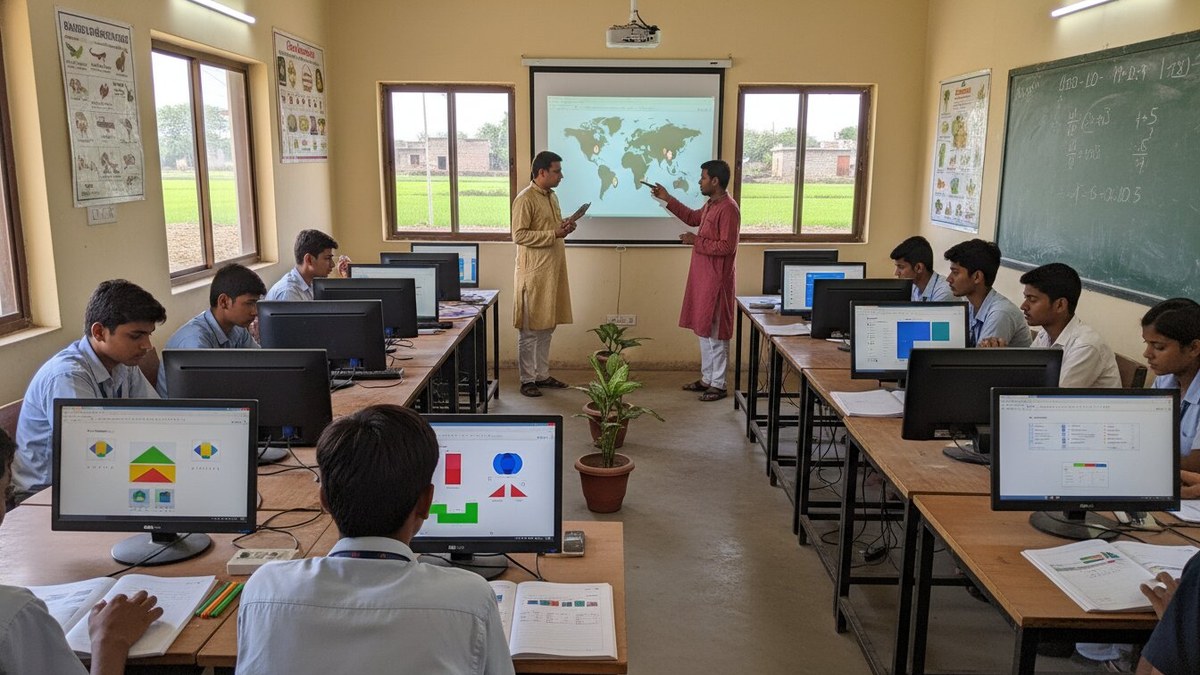
How do you integrate AI worksheets into your POD or tuition centre routine?
To make AI worksheets part of your teaching routine, build them into your weekly plan. Set aside time every week to create worksheets for the coming lessons using your chosen AI tool. This habit keeps you ahead and reduces last-minute stress.
Share worksheets digitally if your students have access to computers or tablets. If not, print them. Either way, collect feedback: which questions confused students? Which were too easy? Use that to refine your next prompt to the AI.
AI worksheets also support social-emotional learning if you add reflection questions (“What did you find hardest? Why?”) or collaborative tasks. This transforms worksheets from passive practice into deeper learning tools.
Running a POD or tuition centre means managing many tasks at once. Using AI to create worksheets frees up hours every month for one-to-one mentoring, curriculum planning and student support, the work that truly moves learning forward. When you have time for real teaching, your students learn better and your centre grows.
Frequently Asked Questions
Can I use AI-generated worksheets directly without editing?
It’s not recommended. Always review AI output for accuracy, especially in maths and factual subjects. Check that questions match your curriculum, tone matches your teaching style, and difficulty suits your students. Light editing, fixing a typo, simplifying language or adding context, takes a few minutes and makes a big difference.
Is using AI worksheets fair to students, or does it reduce learning?
AI is a tool, not a replacement for teaching. The time you save on worksheet creation goes into better feedback, one-on-one help and designing activities that build 21st century skills like critical thinking. Students benefit because worksheets are more varied and personalised, not less so.
Do I need to buy expensive software to create AI worksheets?
No. Free tools like ChatGPT (free tier), Google Gemini, LibreOffice and DIKSHA are enough to start. Paid tools like Canva or Quizizz speed up design, but they’re optional. Many successful POD owners use only free tools.
How do I ensure AI worksheets align with my state board curriculum?
Be explicit in your prompt. Say “NCERT Class 5 maths, Chapter 3” or “Maharashtra Board, Class 6 science, topic: photosynthesis.” Review the output against your textbook. Use DIKSHA and official Ministry of Education resources as reference. If AI misses the mark, refine your prompt or edit the output yourself.
Can AI help me create worksheets in regional languages like Hindi or Marathi?
Yes, but with limits. ChatGPT and Gemini handle Hindi well; Marathi, Tamil and other languages work but with occasional errors. Always have a native speaker review the output. For now, English and Hindi are your safest bets for AI worksheet generation.
Start creating your first AI worksheet today. Pick one subject, one class and one free tool. In 20 minutes, you’ll have a polished, ready-to-use worksheet. Once you see how much time this saves, you’ll make it part of your weekly routine. To run a successful POD or tuition centre with the tools you need, explore APNA PC, which comes with LibreOffice and all the software you need to create, store and share digital learning materials.