
Your Child Deserves Better Than a Cramped Corner
Most people don’t realise that a poorly set up study space kills learning faster than any distraction. Your child sits hunched over a wobbly desk. The light is bad. There’s no proper monitor. They’re squinting at a phone screen for online classes. Sound familiar?
Here’s the truth: you can’t expect quality learning from a makeshift setup. Whether you’re a homemaker wanting to support your child’s education, a senior citizen helping grandchildren with studies, a tuition teacher running a Point of Digital Learning (POD) centre, or an edupreneur scaling your business, the foundation is the same. You need a proper APNA PC study room setup.
Let’s be honest. Setting up a dedicated study space with the right technology feels overwhelming. Where do you start? What equipment do you actually need? How much will it cost? This post answers all of that.
Why a Dedicated Study Room Matters for Indian Families
In most Indian homes, children study on the kitchen table or share space with family activities. This creates constant interruptions. No focus. No rhythm. No real learning happening.
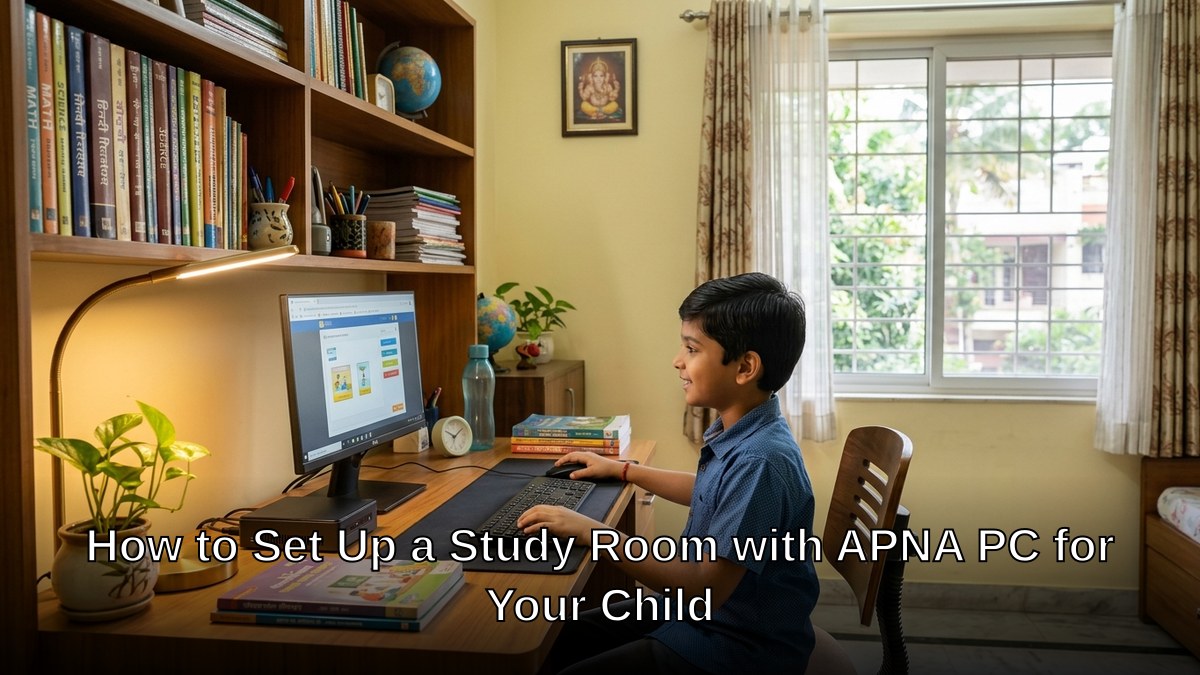
A dedicated study room with APNA PC study room setup changes everything. Your child enters a space designed for concentration. They see the monitor. They have a keyboard and mouse. They can attend online classes without balancing a laptop on their lap. They can access educational software. They can take notes while watching lessons.
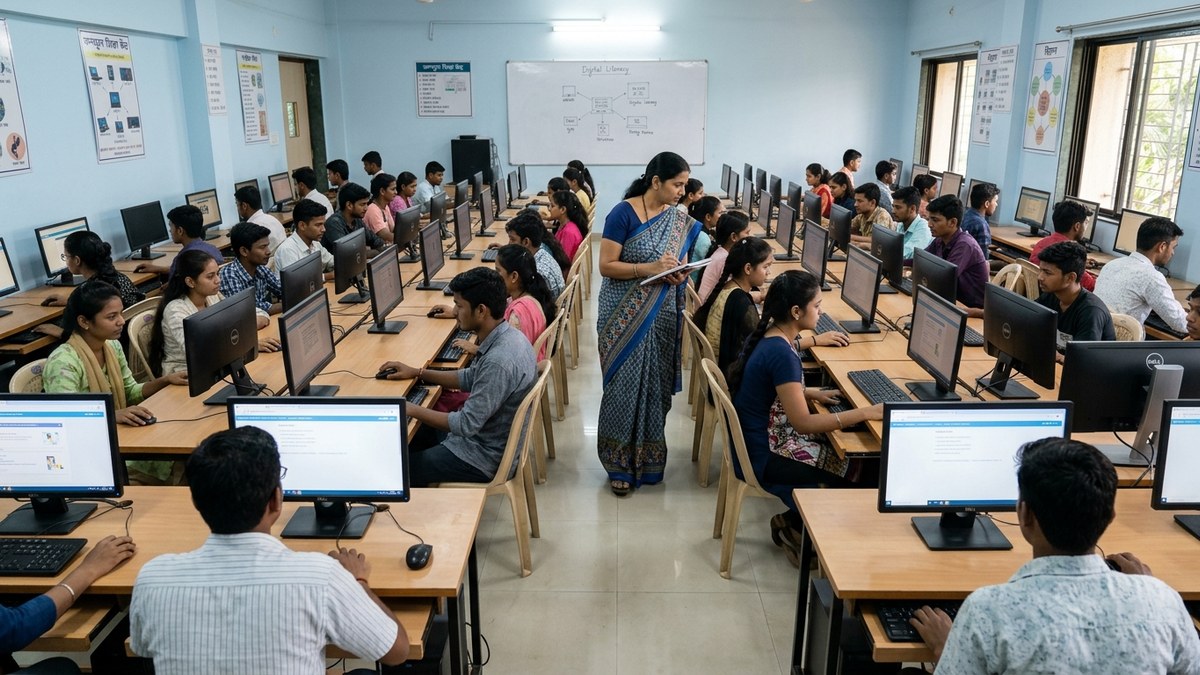
For tuition teachers and edupreneurs running a POD, this becomes your competitive advantage. Parents will choose your centre because it has proper infrastructure. Students learn better. Results improve. Word spreads.
The APNA PC bundle includes everything you need:
- Mini PC with i3 7th Gen processor
- 8GB RAM for smooth multitasking
- 128GB SSD for fast boot and application loading
- Monitor, keyboard, mouse included
- Webcam and headset for online classes
- Complete education software suite
- 3-year warranty and professional installation
- All for Rs.30,000
That’s not expensive. That’s an investment in your child’s future.
Step-by-Step Guide to Setting Up Your APNA PC Study Room
Step 1: Choose the Right Location
Pick a quiet corner away from the main living area. Near a window is ideal for natural light. Make sure there’s a power outlet nearby. The room temperature should be comfortable, not too hot.
Step 2: Get the Furniture Right
Invest in a sturdy desk at least 3 feet wide. The height should allow your child’s feet to touch the ground when seated. A proper chair with back support is non-negotiable. Poor posture ruins concentration and causes physical problems.
Step 3: Install APNA PC Correctly
Place the Mini PC on or under the desk. Position the monitor at eye level, about 20-24 inches away. The keyboard and mouse should be at elbow height. This ergonomic setup prevents strain.
Step 4: Lighting Setup
Natural light is best, but supplement with a desk lamp. Avoid harsh overhead lights. Position the lamp to the side to prevent screen glare. Poor lighting causes eye strain and headaches.
Step 5: Manage Cables and Clutter
Use cable ties to keep wires organized. A cluttered desk creates mental clutter. Keep only essential items on the desk. Everything else goes in drawers or shelves.
Step 6: Add Storage Solutions
Install shelves or use a bookcase for textbooks and reference materials. Use a small cabinet for stationery. When everything has a place, your child can focus on studying, not searching for things.
Making Your Study Room Distraction-Free
Technology helps, but rules matter too. No phone on the desk during study time. No TV in the background. No younger siblings running around.
Set specific study hours. Consistency builds habit. Your child’s brain learns to shift into “study mode” at these times.
With APNA PC, you can access educational platforms like DIKSHA digital learning platform and align with Central Board of Secondary Education curriculum. This keeps learning structured and aligned with what schools expect.
If you’re running a tuition centre or POD, consider our smart classroom setup on a budget guide for scaling multiple APNA PC stations.
Safety and Online Learning
With APNA PC and internet access, you need to be vigilant. Your child will spend time online. Not all content is appropriate. Not all websites are safe.
Set parental controls. Monitor browsing history. Teach them about online privacy. Check out our detailed keep your child safe online guide.
The webcam and headset included with APNA PC are perfect for live online classes with verified tutors. Your child stays safe at home while accessing quality instruction.
The Real Cost of Not Having Proper Setup
You might think skipping a dedicated study room saves money. Wrong. Your child studies less effectively. They fall behind in school. You hire more tutors. Costs spiral. Frustration grows.
APNA PC at Rs.30,000 is not an expense. It’s prevention. It’s the difference between your child struggling and thriving.
For homemakers, it’s peace of mind knowing your child has the right environment to learn. For senior citizens helping grandchildren, it’s the confidence that you’re providing modern education tools. For tuition teachers, it’s the infrastructure that attracts students and produces results. For edupreneurs, it’s the foundation of a scalable business model.
Getting Started Today
You don’t need to overthink this. The APNA PC study room setup is straightforward. The bundle includes everything. Installation is handled professionally. The 3-year warranty covers your investment.
Stop settling for cramped corners and makeshift arrangements. Your child deserves better. Your business deserves better. Your family deserves better.
Order your APNA PC bundle today and transform your study space within days. Your child’s future is worth it.