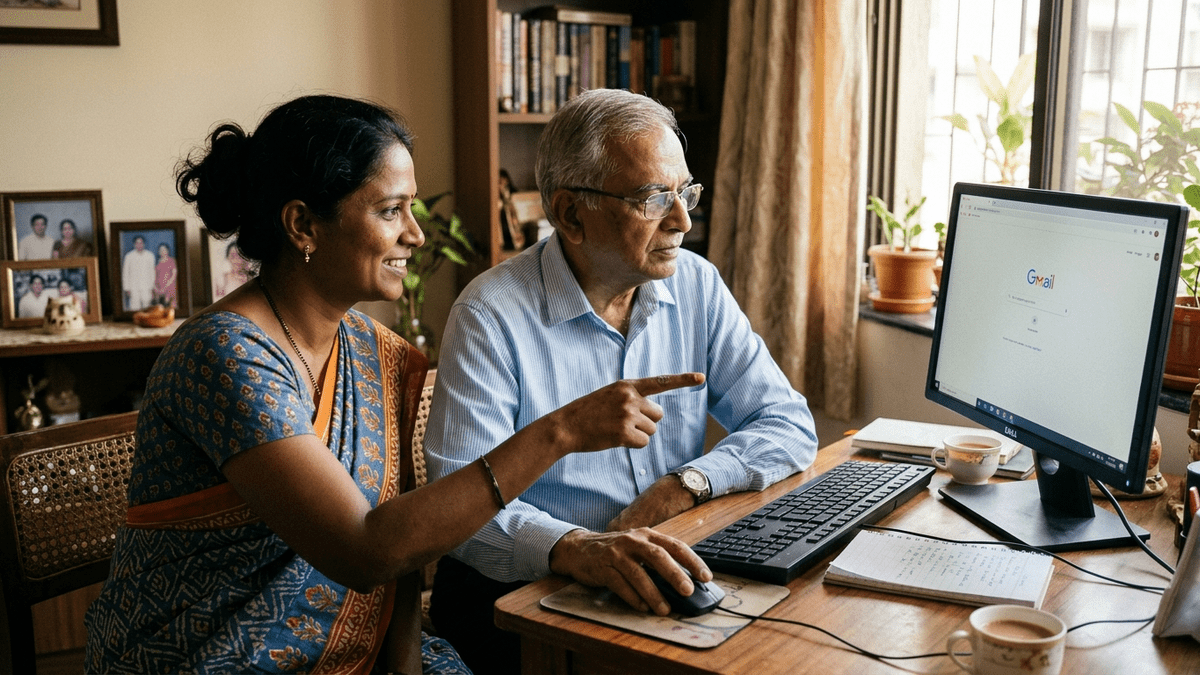
Your Living Room Can Become a Classroom. Here’s How.
Most people don’t realise that starting a computer training centre at home in India is no longer a side hustle. It’s a legitimate, scalable business that requires less capital than you think. Whether you’re a homemaker looking to earn, a retired teacher wanting purpose, or an edupreneur testing a new market, running a home computer coaching centre is entirely doable. The barrier isn’t expertise or space. It’s clarity on what to do first.
Let’s be honest: the demand for computer skills in India is massive. Rural areas, tier-2 cities, and even urban neighbourhoods lack accessible, affordable computer training. Schools teach theory. Offices need practical skills. That gap is your opportunity. A computer training centre at home fills that gap without the overhead of a commercial office.
Why Home-Based Computer Coaching Works in India Right Now
Here’s the truth: parents prefer home tuition for computers. It’s safer. It’s flexible. It’s personal. Your students get one-on-one attention they’d never get in a crowded institute. You control your schedule. You keep your margins high. You build real relationships with families who become your brand ambassadors.
The infrastructure barrier has collapsed. Five years ago, you needed expensive desktops and licensing fees. Today, you can set up a professional computer training centre at home with a single bundle that includes everything: hardware, software, warranty, and support.
Consider this: if you charge Rs.500-1,000 per student per month for basic computer literacy, and you run just three batches of five students each, you’re earning Rs.7,500-15,000 monthly from one room. Scale to two rooms or add advanced courses, and you’re looking at serious income.
What Your Students Actually Want to Learn
Don’t assume everyone needs advanced coding. Your real market wants practical skills:
- Basic computer literacy for seniors and homemakers
- MS Office (Word, Excel, PowerPoint) for job seekers
- Digital marketing basics for small business owners
- Online safety and email management for first-time users
- Typing and data entry for competitive exam preparation
- Photo editing and graphic design basics for creative learners
Notice something? None of these require you to be a software engineer. You need to know the skills well enough to teach them clearly. That’s different from being an expert. Most successful home computer coaches aren’t tech wizards. They’re good communicators who learned the skills first and then taught them.
Setting Up Your Home Computer Training Centre: The Practical Steps
Step 1: Space and Setup You don’t need a separate room, though it helps. A corner of your living room with a desk, two chairs, and good lighting works. Ensure stable internet. Invest in a quality monitor so students can see clearly. Noise matters. If you have kids or traffic noise, consider soundproofing one wall or scheduling classes during quiet hours.
Step 2: Get the Right Hardware and Software Bundle This is critical. Don’t buy random components. Get APNA PC, a complete bundle designed specifically for education. It includes a Mini PC (i3 7th Gen, 8GB RAM, 128GB SSD), monitor, keyboard, mouse, webcam, headset, education software, three-year warranty, and installation. Cost: Rs.30,000. That’s your entire infrastructure investment. Compare that to a commercial institute’s monthly rent alone.
Step 3: Choose Your Student Base Start with one segment. Homemakers learning digital skills. Senior citizens wanting email and video calls. School kids needing typing practice. Job seekers preparing for data entry roles. Pick one. Master it. Then expand. This focus prevents you from spreading yourself thin.
Step 4: Create a Simple Curriculum You don’t need fancy course design. Write down what you’ll teach, in what order, over how many weeks. One page is enough. Share it with parents. It builds trust and sets expectations.
Step 5: Use Existing Resources DIKSHA digital learning platform and resources from the India Ministry of Education offer free teaching materials. Combine these with your live teaching. You’re not starting from zero.
The Money Question: What Can You Actually Earn?
Let’s do real math. Not fantasy numbers.
- Batch size: 5 students (realistic for home setup)
- Fee per student: Rs.800/month (competitive for home coaching)
- Monthly revenue per batch: Rs.4,000
- Run three batches (morning, afternoon, evening): Rs.12,000/month
- Your costs: Internet (Rs.500), electricity (Rs.200), software updates (Rs.100), marketing (Rs.500) = Rs.1,300
- Net monthly income: Rs.10,700
Now, that’s not life-changing money. But it’s real money. And it scales. Add one more batch and you’re at Rs.14,300. Offer advanced courses at higher fees and margins improve. Do this for two years, build reputation, and you might transition to earning from home with a learning pod model where you train other educators and scale without teaching every class yourself.
Common Mistakes to Avoid
First mistake: buying random hardware without thinking about warranty and support. You’ll waste money and lose credibility when systems break. Second mistake: trying to teach everything. Stick to what you know. Third mistake: underpricing. Charge fairly. You’re providing value. Underpricing attracts the wrong students and signals low quality. Fourth mistake: ignoring marketing. Tell people you exist. Use WhatsApp, local community groups, and word-of-mouth. Fifth mistake: not documenting progress. Keep simple records of what each student learns. Parents want proof of progress.
Make It Official (Without Overcomplicating)
You don’t need fancy registration to start. But do get basic things right. Open a separate bank account for your coaching income. Get a simple GST number if you’re earning above the threshold. Tell your landlord (if renting) what you’re doing. Keep basic records. This isn’t bureaucracy. It’s professionalism. It protects you and builds credibility with serious parents.
When you’re ready to scale, look at setting up a coaching centre as a formal POD (Point of Digital Learning). This is a home or community learning centre run by a trained educator. TeachToEarn supports this model with training, curriculum, and a platform to find students.
Your Next Step
Don’t wait for perfect conditions. They won’t come. Start with what you have. One room. One batch. One clear course. Learn as you teach. Adjust based on feedback. Build from there. The computer training centre at home that becomes your income stream starts with a single decision today.
Ready to turn your home into a learning centre? Learn how to start your TeachToEarn learning pod and get structured support, curriculum, and access to students looking for exactly what you can teach.