
You don’t need a fancy setup to teach brilliantly. You need the right tools and a clear plan.
Most people don’t realise that a smart classroom in India doesn’t mean spending lakhs on interactive boards and cloud infrastructure. It means being intentional. It means choosing technology that actually works for your students, not impressing parents with brand names. Here is the truth: you can build a functional, engaging smart classroom india setup for under Rs.50,000. Not someday. Right now.
Whether you’re a homemaker starting a tuition centre, a senior citizen teaching neighbourhood kids, or an edupreneur launching your first learning pod, this guide shows you exactly how.
Why Most Teachers Get This Wrong
Let’s be honest: the education technology market in India is designed to make you feel inadequate. Vendors push expensive whiteboards, fancy projectors, and subscription software that drains your budget faster than you can say “ROI.”
But here’s what actually matters for students: can they see the content clearly? Can the teacher interact with it easily? Does it support multiple teaching styles? Can it run offline when the internet fails (because it will)?
The good news? All of this is possible at a fraction of what sellers want you to spend. The Digital India initiative has made quality hardware affordable. You just need to know where to look and what to prioritize.
The Rs.50,000 Smart Classroom Blueprint
Let me break down a realistic budget that covers everything:
- Core Computing Unit: Rs.30,000 (APNA PC bundle)
- Display/Projection: Rs.12,000-15,000 (43-inch LED TV or budget projector)
- Audio Setup: Rs.3,000-5,000 (basic speakers)
- Miscellaneous: Rs.2,000-3,000 (cables, adapters, stands)
That’s it. You’re done. Under Rs.50,000.
The star of this setup is APNA PC. This isn’t just another computer. It’s a complete bundle designed specifically for educators in India. Here’s what you get:
- Mini PC with i3 7th Gen processor, 8GB RAM, 128GB SSD
- Monitor, keyboard, mouse, webcam, headset included
- Pre-loaded education software tailored for Indian classrooms
- 3-year warranty and professional installation
- Total cost: Rs.30,000
Why this matters? You’re not buying components separately and praying they work together. Everything is tested, compatible, and ready to use. The education software comes pre-loaded. Installation is handled. You literally unbox it and start teaching.
Most people don’t realise that the processor and RAM matter far less than software optimization. APNA PC runs education platforms smoothly. It handles video playback without stuttering. It supports multiple simultaneous applications. That’s what counts in a classroom.
Building Your Point of Digital Learning
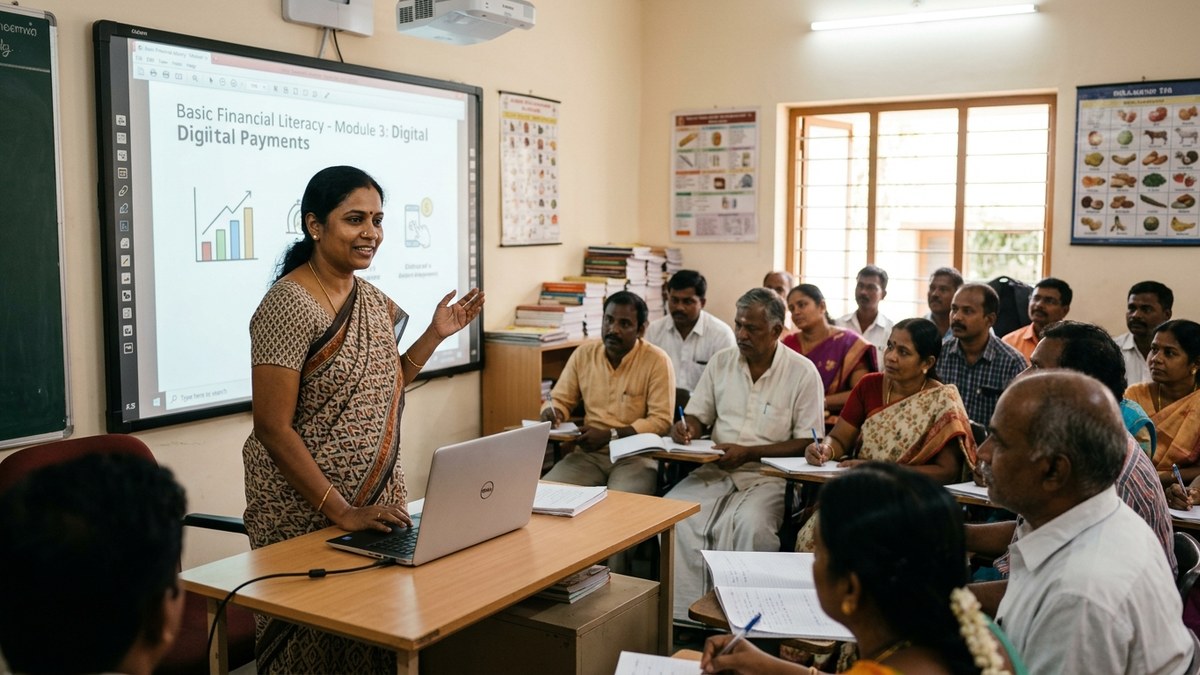
A smart classroom india setup isn’t just about hardware. It’s about creating a Point of Digital Learning (POD). A POD is a physical or virtual space where a trained educator uses technology to enhance learning outcomes.
Your POD could be:
- Your living room converted into a tuition centre
- A community hall with 15-20 students
- A hybrid model where some students attend in-person and others join online
The setup remains the same. APNA PC as the brain. A large display so everyone can see. Basic audio for clarity. That’s your foundation.
Now add the software layer. Use free AI tools for teachers to create content. Use open-source platforms like Moodle or Google Classroom for assignments. Use Khan Academy or local YouTube channels for supplementary videos. Your APNA PC handles all of this without breaking a sweat.
Here’s the provocative part: you don’t need fancy software. You need reliable hardware that runs standard tools. APNA PC gives you that reliability at Rs.30,000. Everything else is just smart choices about what software to layer on top.

The Installation and Warranty Factor
Here’s where most budget setups fail: they save money on hardware but lose it on installation problems and warranty gaps.
APNA PC includes professional installation and 3-year warranty. This means when something goes wrong (and it will), you have support. You’re not Googling “why is my projector not connecting” at 2 PM before a class. Someone handles it for you.
For a homemaker or senior citizen running a learning centre, this is invaluable. You focus on teaching. APNA PC handles the technical side.
Your Next Steps
Building a smart classroom india doesn’t require you to understand information technology deeply. It requires you to be intentional about three things: reliable hardware, simple software, and consistent teaching.
Start with APNA PC as your foundation. Add a display that fits your space and budget. Set up your POD. Train your students on how to use the tools. Measure what works and what doesn’t. Adjust.
If you’re serious about this, check out our complete smart classroom setup guide for step-by-step implementation details specific to your context.
The barrier to quality digital teaching in India isn’t money anymore. It’s clarity about what actually matters. Now you have that clarity.
Ready to start your own learning pod? Click here to get started.