
Most people don’t realise that rural educators in India face a choice that urban teachers never have to make: stay relevant or stay invisible. The digital divide isn’t just about internet speed or device access. It’s about opportunity. It’s about whether a teacher in a village can access the same digital literacy resources as someone teaching in a metro city.
Key Takeaways
- Digital literacy resources for village teachers are increasingly free and practical, closing part of the rural digital gap.
- DIKSHA offers lesson content and teacher courses that can be used on a basic setup.
- Government schemes such as PMGDISHA provide basic digital literacy training in rural areas.
- A single shared computer in a village school or home can serve many teachers if used on a schedule.
- Start with typing, email and documents before moving to teaching apps and online classes.
Village Teachers Are Being Left Behind. Here’s Why It Doesn’t Have To Be That Way
The gap exists. But it’s closing faster than you think. And it’s closing because free digital literacy resources for village teachers are finally becoming real, practical, and actually usable.
Let’s be honest: most village teachers haven’t had formal training in digital tools. Many are teaching in classrooms where a computer is still a luxury. Yet these are the educators who need digital skills the most. They’re the bridge between traditional learning and modern education. They’re the ones who can genuinely help students prepare students for the AI job market in rural India.
Free Digital Literacy Resources for Village Teachers That Actually Work
Here’s the truth: not all free platforms are created equal. Some are clunky. Some require internet speeds that village schools don’t have. Some are built for urban classrooms and completely miss the mark for rural contexts.
The good news? Several digital literacy resources have been specifically designed with village teachers in mind.
- DIKSHA digital learning platform (operated by the Ministry of Education) is free and works on low bandwidth. It has content aligned with Central Board of Secondary Education (CBSE) curricula. Teachers can access lesson plans, videos, and interactive content. The platform is in multiple Indian languages. You don’t need high-speed internet to use it effectively.
- YouTube EDU channels (from CBSE, state boards, and educational nonprofits) offer free video lessons. Yes, YouTube requires internet. But many villages now have basic connectivity. Teachers can download videos during peak hours and show them during class.
- Google Classroom is free and simple. Even with basic digital literacy, teachers can set up a classroom, share assignments, and collect student work. It works on older devices and doesn’t demand much bandwidth.
- Khan Academy India has free content in Hindi and English. The explanations are clear. The pacing works for students who are learning at their own speed. Teachers can use it to support students who need extra help.
- State-specific portals vary by region but many offer free teacher training modules, curriculum resources, and digital literacy courses specifically for rural educators.
But here’s what these platforms won’t do: they won’t solve the hardware problem. A teacher with excellent digital skills still needs a device to teach with. A village learning centre still needs a proper setup to run online classes or create digital content.
That’s where the real barrier sits. Not knowledge. Not willingness. Hardware.
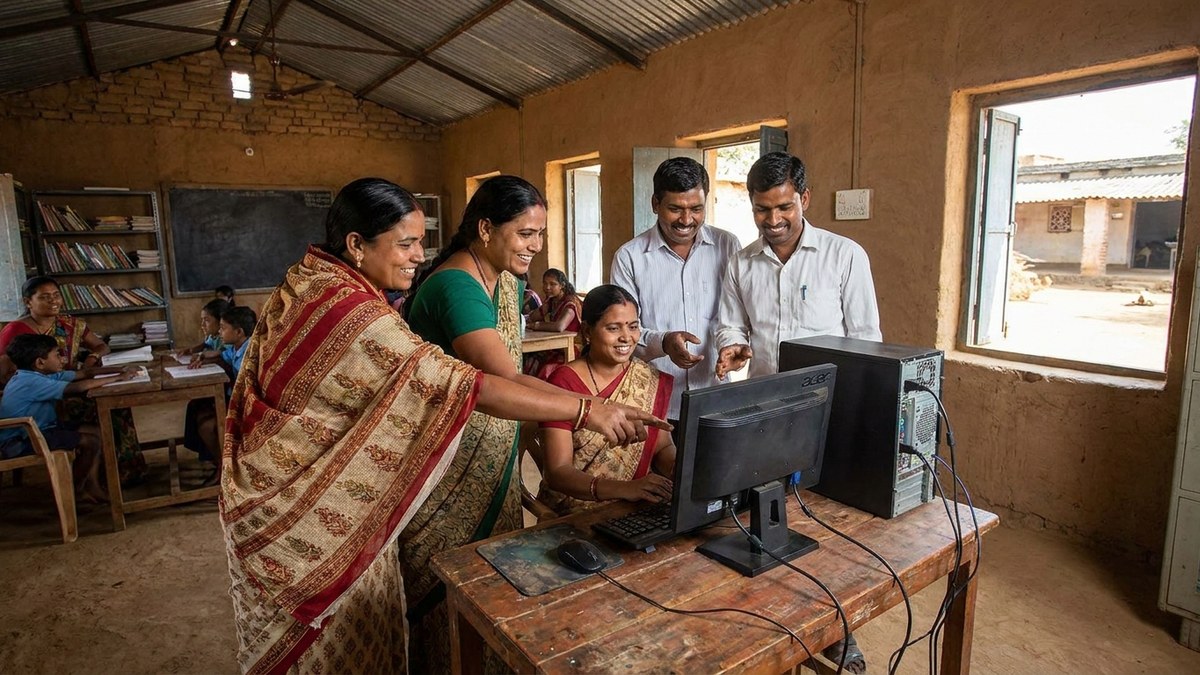
The Missing Piece: Digital Infrastructure for Village Teachers
Most people don’t realise that rural teacher training online only works if teachers have something to train on. You can give a village educator access to the world’s best digital learning platform, but if they’re sharing one old laptop between 40 teachers, the platform becomes theoretical.
This is why many successful Points of Digital Learning (POD) in villages are built around a simple, affordable setup. A POD is a home or community learning centre run by a trained educator. It’s where teachers gather to upskill. Where students come for extra support. Where digital literacy actually happens.
A POD needs three things: a reliable device, internet access, and training. The device is the foundation.
APNA PC solves the device problem directly. It’s a complete bundle at Rs.30,000 that includes a Mini PC (i3 7th Gen processor, 8GB RAM, 128GB SSD), monitor, keyboard, mouse, webcam, headset, education software, 3-year warranty, and installation. That’s not a budget computer. That’s a professional teaching tool that will run every platform mentioned above without breaking a sweat.
For a village teacher or someone running a POD, APNA PC isn’t an expense. It’s the entry point to becoming digitally literate and staying that way.
How Village Teachers Can Build Digital Literacy Skills Right Now
Here’s a practical path forward. Start with the free platforms. Get comfortable with one. Don’t try to learn everything at once. DIKSHA or Google Classroom. Pick one. Spend two weeks on it. Then expand.
Join online communities of rural educators. There are WhatsApp groups, Facebook communities, and forums where teachers share what works and what doesn’t. Real teachers solving real problems. Not corporate training modules.
Attend state-sponsored digital literacy workshops if your district offers them. Many do. Many are free. Many are now hybrid (online and in-person), which means you can join even if you can’t travel far.
Find a mentor. Another teacher who’s already made the jump to digital teaching. Ask them questions. Watch how they use tools. This matters more than any course.
And here’s the thing: once you have the basics down, you can help your students support children learning at home without tuition. You become the bridge. You become the multiplier.
The free digital literacy resources exist. The training pathways exist. What’s missing is the confidence to start and the right device to practice on.
Village teachers don’t need sympathy. They need tools that actually work and permission to be imperfect while learning. Digital literacy isn’t a destination. It’s a practice. Start today with what’s free. Then invest in the hardware that will make it stick.
Explore APNA PC and build your digital teaching setup today.
Frequently Asked Questions About Digital literacy resources for village teachers
What free digital literacy resources can village teachers use?
DIKSHA, SWAYAM and NIOS offer free courses and teaching content. PMGDISHA provides basic digital literacy training in rural areas.
What is DIKSHA and how does it help teachers?
DIKSHA is the national digital platform for school education from the Ministry of Education. It provides QR-coded textbook content, lesson plans and teacher training courses.
How can village teachers learn computers with limited internet?
Download course material when you have connectivity and practise offline on documents and spreadsheets. Even one shared computer can support regular practice.
What basic digital skills should a village teacher learn first?
Start with typing, using email, creating documents and searching safely online. These skills are the base for using education apps and online classes.
Do teachers need a computer or is a phone enough?
A phone helps for quick access, but a computer is better for typing, forms and preparing lessons. A shared computer in school or at home is a cost-effective starting point.
DIKSHA is the national digital platform for school education under the Ministry of Education, and PMGDISHA under MeitY aims to make rural households digitally literate.