
A proper homework station APNA PC changes everything. Not just because it’s a computer, but because it’s designed specifically for Indian students, comes fully loaded with education software, and costs less than most parents spend on school fees per year. Let’s talk about how to build one that actually works.
## Why Your Child Needs a Dedicated Homework Station APNA PC
Before we get into the how, let’s be clear about the why. A dedicated study space with the right tools isn’t a luxury. It’s the difference between your child actually learning and just going through the motions.
When a student study setup is scattered across a phone, a shared laptop, and whatever surface they can find, three things happen: they get distracted easily, they miss digital learning opportunities, and they fall behind on assignments. A proper home study station eliminates these problems at the root.
The APNA PC bundle addresses this directly. At Rs.30,000 for a complete package including a Mini PC with i3 7th Gen processor, 8GB RAM, 128GB SSD, monitor, keyboard, mouse, webcam, headset, education software, 3-year warranty, and installation, it’s an investment that pays for itself in focus and results alone.
## Setting Up Your Physical Space for a Homework Station APNA PC
Location matters more than you think. Choose a spot that’s away from the main TV, kitchen noise, and high-traffic areas of your home. A corner of a bedroom, a small desk in the living room, or even a dedicated shelf space works. The goal is separation, not isolation.
Your student study setup needs:
- A sturdy desk or table, minimum 3 feet wide
- A chair that supports proper posture (this prevents back pain and keeps focus sharp)
- Good natural light during the day, a desk lamp for evenings
- Minimal clutter within arm’s reach
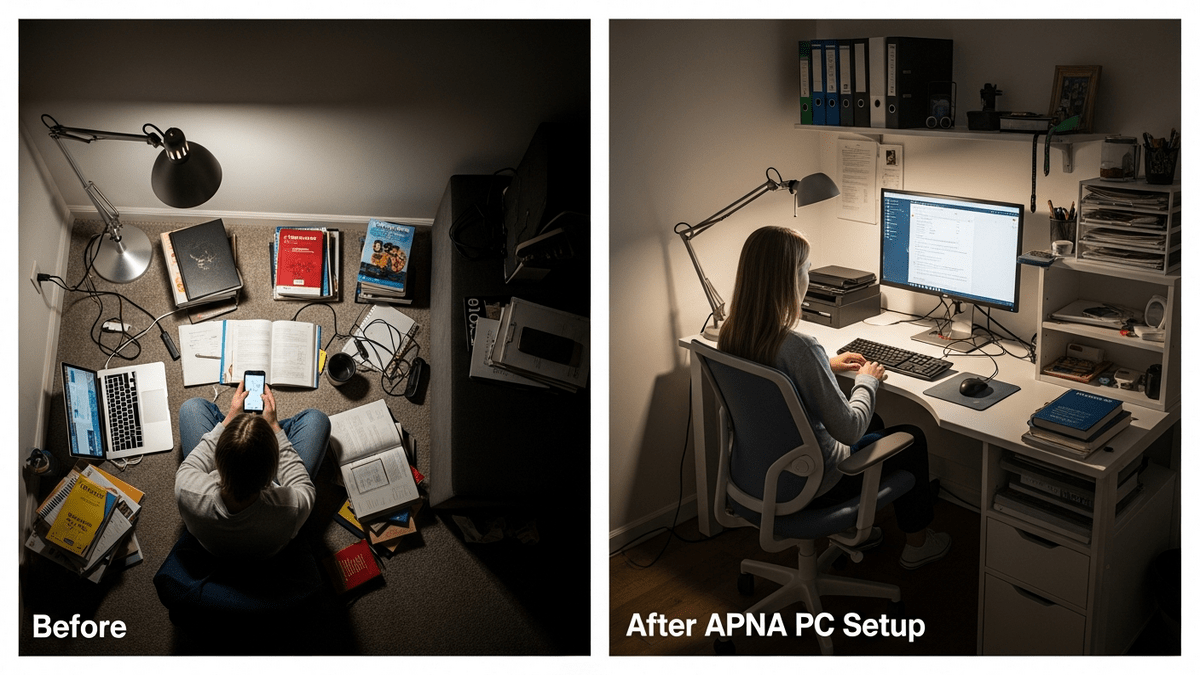
The APNA PC’s compact Mini PC design fits perfectly even in smaller homes. Unlike bulky desktop setups, it doesn’t dominate the space. Mount the monitor at eye level when your child is seated. The keyboard and mouse should allow arms to rest at 90 degrees. This isn’t overthinking it. Poor ergonomics literally reduce learning capacity.
Keep the space temperature-controlled. A warm room makes studying harder. If you’re in a hot climate, ensure basic ventilation. The APNA PC hardware runs cool, so you’re not adding heat to the room.
## Installing and Organizing the Education Software
This is where APNA PC separates itself from a regular computer. It comes pre-loaded with education software tailored for Indian students. Your home study station isn’t just a screen and keyboard. It’s a Point of Digital Learning (POD) hub.
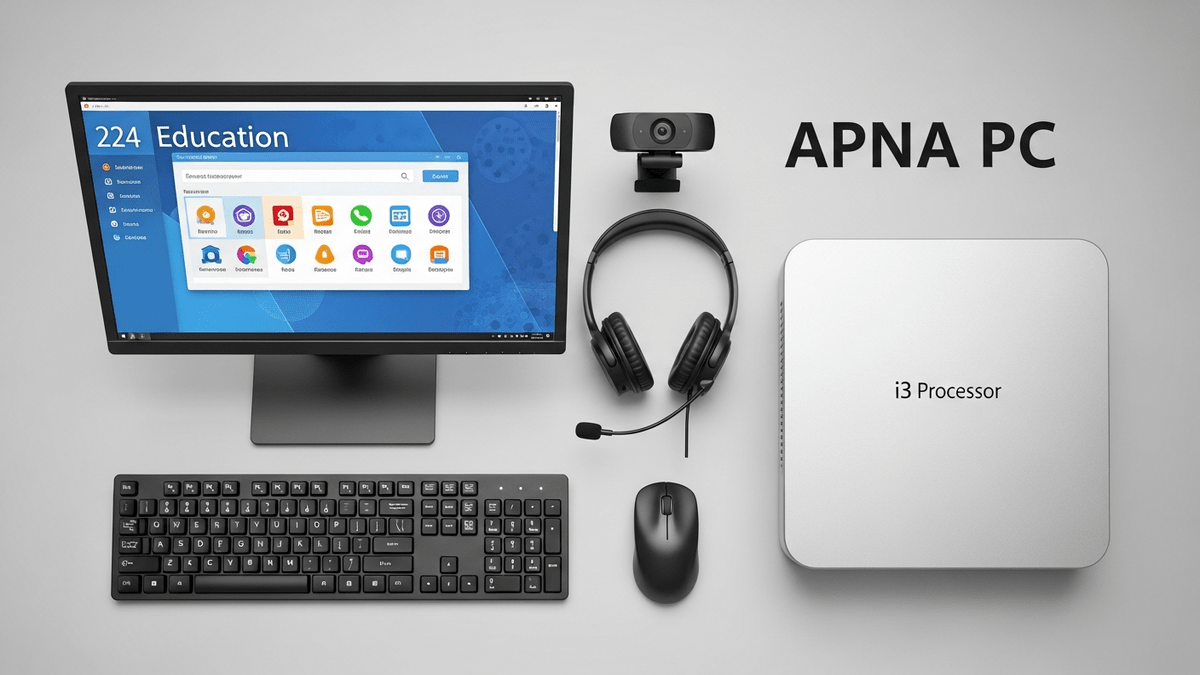
When the technician installs APNA PC at your home, they’ll set up access to platforms like DIKSHA digital learning platform, which aligns with Central Board of Secondary Education (CBSE) curriculum. They’ll also configure any additional software your child’s school uses.
Create separate user profiles for each child if you have multiple students. Set up a simple folder structure on the desktop: one for each subject, one for completed homework, one for reference materials. This takes 20 minutes and saves hours of frustration later.
Your homework station APNA PC should have bookmarks saved for frequently used sites. Teach your child to use these instead of searching every time. It sounds small, but it eliminates distraction and speeds up workflow significantly.
## Managing Screen Time and Breaks
A dedicated home study station isn’t about replacing human interaction with screens. It’s about using screens effectively for learning.
The 20-20-20 rule works well: every 20 minutes of study, take a 20-second break and look at something 20 feet away. This reduces eye strain. Set a timer. Make it non-negotiable.
The webcam and headset included with APNA PC are there for video classes and online tutoring, not for endless video calls. Be clear about this boundary with your child. During study time, the webcam is for learning. That’s it.
Homework typically shouldn’t take more than 1.5 to 2 hours for primary students and 2 to 3 hours for secondary students. If it’s taking longer, the problem might be your student study setup or the school’s workload. If it’s the latter, you might want to read about school fee hikes and what parents can actually do about unreasonable workload.
## Connecting to Your School’s Digital Infrastructure
Most Indian schools now use some form of digital learning platform. Your homework station APNA PC should be the central hub for this. Whether it’s Google Classroom, your school’s custom portal, or DIKSHA, everything flows through here.
If you’re setting up a Point of Digital Learning space for multiple children or even thinking about community learning, check out our POD setup checklist for comprehensive guidance.
The 3-year warranty and installation service included with APNA PC means you’re not left troubleshooting technical issues on your own. When something breaks, it gets fixed. When you have questions about the software, there’s support.
## Making It Work Long-Term
A homework station APNA PC is only effective if your child actually uses it consistently. Establish a routine. Same time, same place, every day. After two weeks, it becomes habit. After a month, they’ll prefer studying there because they’re more focused and get things done faster.
Monitor progress. After setting up your home study station, you should see homework time decrease and accuracy increase within 4-6 weeks. If you don’t, the problem might be the subject matter or teaching approach, not the setup.
Your investment in a proper homework station APNA PC is an investment in your child’s academic confidence. It shows them that learning matters enough to have a dedicated space. It removes friction from studying. It connects them to quality digital resources. And it costs less than a semester of tuition at most private schools.
Ready to set up your homework station? Explore APNA PC bundles and get your home study station installed today.