
Learning computers has become essential for staying connected with family and managing daily tasks. Senior citizens learn computers to access video calls, online banking, and social media—skills that improve quality of life and independence. This guide explains how seniors can master basic computer skills from home with proper guidance and support.
Why Senior Citizens Learn Computers Today
The digital world offers tremendous benefits for older adults. Video calling lets grandparents see grandchildren living abroad. Online banking provides secure access to accounts without visiting branches. Email keeps seniors connected with friends and family. Social media platforms help them share memories and stay updated. Digital literacy for seniors removes barriers to modern life and builds confidence in using technology.
Many senior citizens learn computers through structured programs designed specifically for their pace and needs. Unlike younger learners, seniors benefit from patient instruction, larger fonts, simplified interfaces, and real-world examples relevant to their daily lives.
Getting Started: How Senior Citizens Learn Computers at Home
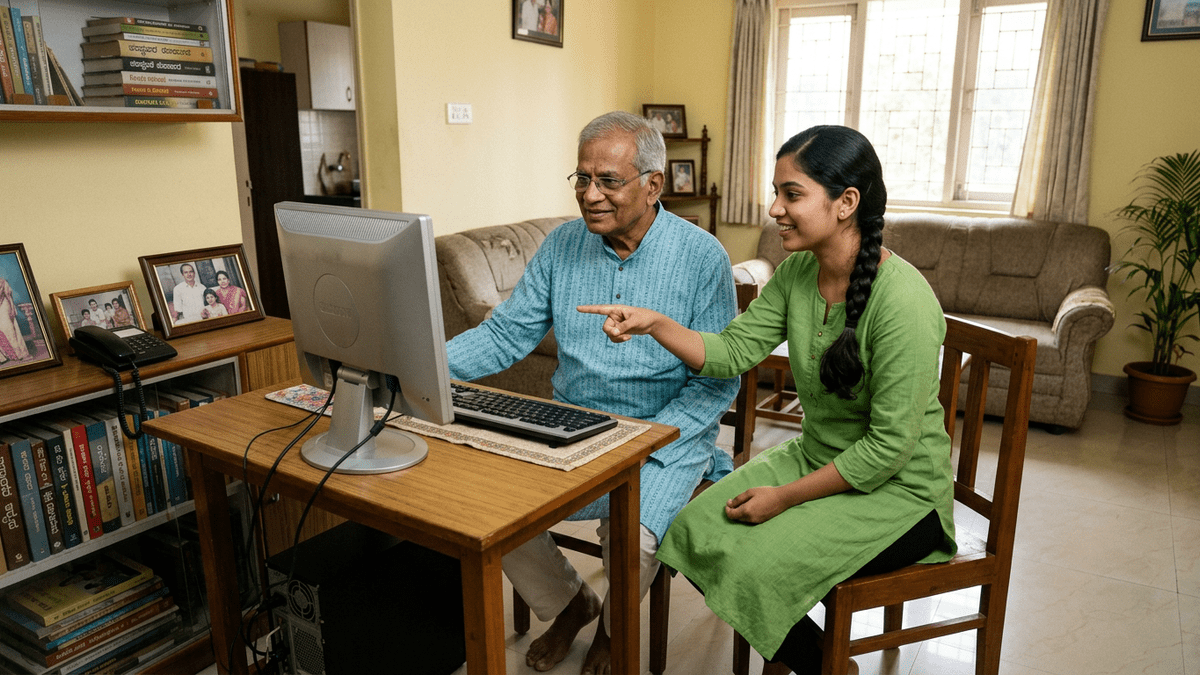
Home-based learning offers comfort and flexibility for elderly learners. A Point of Digital Learning (POD) brings computer classes directly to your neighborhood, making education accessible without long commutes. Computer classes for elderly can be personalized to individual learning speeds, addressing specific needs like video conferencing or online shopping.
The first step involves choosing appropriate hardware. A basic computer or laptop with clear display works well. Keyboard and mouse should be comfortable to use. Internet connectivity must be reliable. APNA PC provides a complete bundle at Rs.30,000 that includes everything needed to start learning—computer system, essential software, and educational materials designed for beginners.
Setting Up the Learning Environment
A dedicated learning space at home creates the right atmosphere. Ensure proper lighting to reduce eye strain. Position the monitor at eye level to maintain good posture. Keep the area quiet and free from distractions. Comfortable seating supports longer learning sessions. When senior citizens learn computers in a supportive environment, progress accelerates and motivation increases.
Essential Computer Skills Senior Citizens Learn First
Start with fundamental skills before advancing to complex tasks. Learning the mouse and keyboard comes first—understanding clicking, double-clicking, dragging, and typing. These basics build muscle memory and confidence. Digital literacy for seniors progresses naturally when fundamentals are solid.
Operating system navigation follows next. Seniors learn to open applications, manage files, and understand the desktop. Windows or basic operating system familiarity enables independent exploration later. This foundation allows senior citizens learn computers at their own pace without feeling overwhelmed.
Practical Applications That Matter
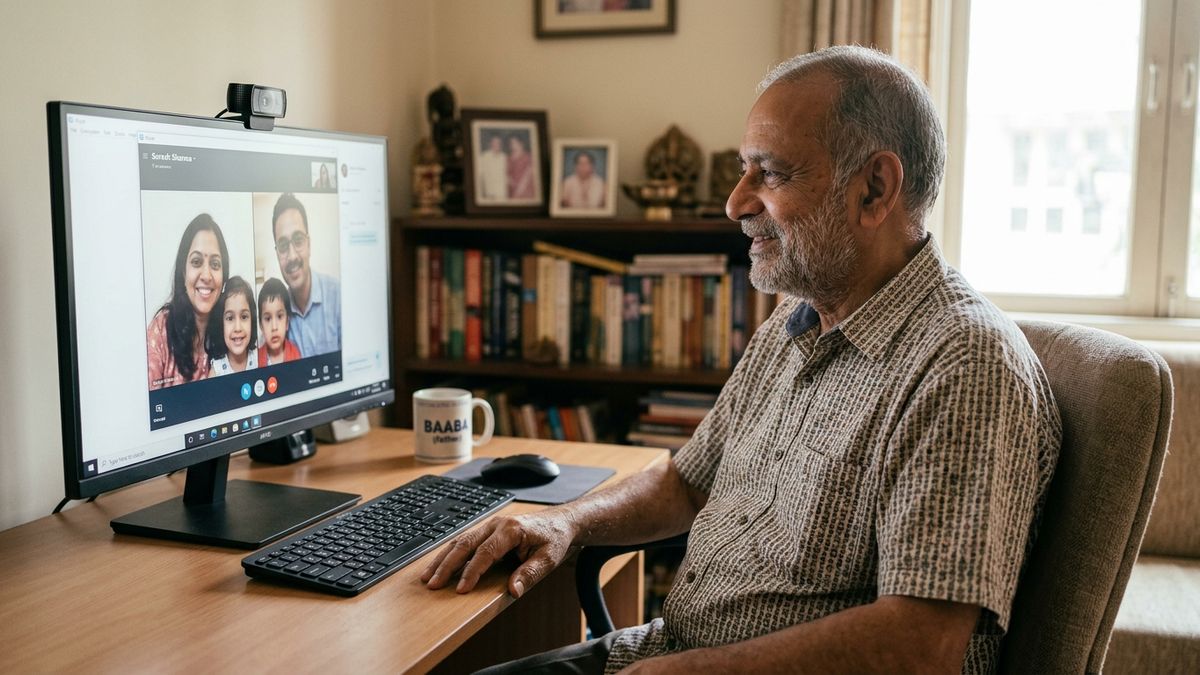
Video calling through platforms like Skype, WhatsApp, or Google Meet connects seniors with loved ones instantly. Learning this skill often motivates continued computer use. Email basics—composing, sending, and receiving messages—enable written communication. Online banking teaches secure password management and account access. These practical skills demonstrate immediate value, encouraging further learning.
Social media basics help seniors share photos and stay connected with community groups. Online shopping teaches safe purchasing practices. Web browsing skills enable research and entertainment. Computer classes for elderly focus on these real-world applications rather than technical jargon.
Overcoming Common Challenges When Senior Citizens Learn Computers
Many seniors worry about making mistakes or breaking the computer. Reassurance and patience address these fears. Mistakes are learning opportunities, not failures. Repetition helps reinforce concepts. Taking breaks prevents fatigue and frustration. Celebrating small victories builds confidence and motivation.
Vision and hearing changes require accommodation. Larger fonts and higher contrast settings improve readability. Volume controls and captions support audio learning. Ergonomic setup reduces physical strain. When computer classes for elderly account for these factors, learning becomes comfortable and sustainable.
Technology anxiety decreases with positive experiences. Starting with familiar tasks builds confidence. Gradually introducing new features prevents overwhelm. Patient instructors who respect learning pace create supportive environments where senior citizens learn computers effectively.
The Role of Personal Instruction
One-on-one or small group instruction works best for elderly learners. A qualified instructor provides personalized attention, addresses individual concerns, and adjusts teaching speed accordingly. Digital literacy for seniors improves significantly with dedicated guidance. The Senior Citizens Learning POD model delivers this personalized approach in home settings, making learning convenient and comfortable.
Building a Sustainable Learning Journey
Consistency matters more than intensity. Short daily sessions work better than occasional long sessions. Practice between lessons reinforces learning. Family support encourages continued effort. Celebrating milestones maintains motivation. When senior citizens learn computers through regular, supported practice, skills become permanent.
Online resources support home learning. Tutorial videos demonstrate steps clearly. Websites like Digital Literacy resources provide comprehensive information. Government initiatives like the Digital India initiative promote technology access for all age groups. These resources complement personal instruction and provide reference material for independent practice.
Creating Community Learning Opportunities
Group learning in a POD setting offers social benefits alongside skill development. Seniors learn from peers, share experiences, and build friendships. Community-based computer classes for elderly create supportive environments where participants encourage each other. This social component often increases engagement and completion rates compared to isolated home learning.
The Computer Coaching After Retirement program specifically serves seniors transitioning to technology use. Instructors understand age-related needs and design lessons accordingly. Group settings reduce isolation while maintaining individual pacing.
Taking the Next Step
Senior citizens learn computers best through structured programs combining personal instruction, practical applications, and supportive environments. Whether learning alone or in a group POD setting, the key is starting with fundamentals, practicing consistently, and celebrating progress.
Help your parents or grandparents master essential computer skills today. APNA PC provides the complete Rs.30,000 bundle needed to establish a home-based learning center or support individual learning. Visit TeachToEarn to discover how you can empower seniors in your life to stay connected, confident, and independent in the digital world.