The Digital Literacy Mission is India’s effort to ensure every citizen can use digital tools effectively, from computers and smartphones to online banking and e-government services. For educators like you, whether you’re a homemaker, senior citizen, tuition teacher or aspiring edupreneurs, this mission creates both opportunity and responsibility. This article explains what the mission is, how it affects learning centres, and how you can help your students benefit from it.
What Is the Digital Literacy Mission?
The Digital Literacy Mission is a national programme designed to equip Indians with basic digital skills. It focuses on teaching people how to use computers, access the internet safely, perform online transactions, and use digital platforms for education and employment. The mission recognises that digital skills are no longer optional, they are essential for participating in modern India.
The mission operates under the broader Digital India Programme, which aims to transform India into a digitally empowered society. It targets people of all ages, including those who have never used a computer before, making it relevant to the diverse learners you may teach.
Who Does the Digital Literacy Mission Target?
The mission prioritises citizens aged 14 and above who lack basic digital skills. This includes homemakers, agricultural workers, small business owners, senior citizens, and students from under-resourced communities. If you run a learning centre or teach in a community, your students likely fall into one or more of these groups.
The focus is on practical, job-ready skills: using email, searching the web, understanding online safety, filling online forms, and accessing government services digitally. These are skills that directly improve employment prospects and financial independence, which is why the mission matters for the learners you work with.
How Does the Digital Literacy Mission Affect Learning Centres?
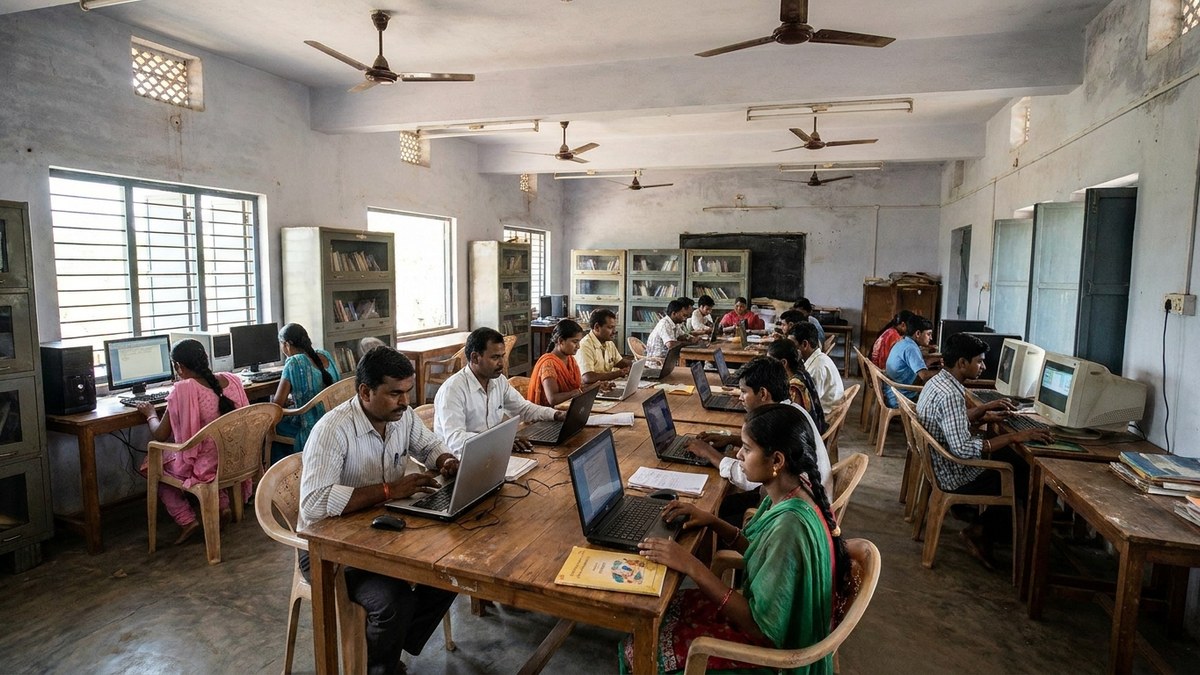
If you run a POD (Point of Digital Learning) or community learning centre, the Digital Literacy Mission creates a framework and often funding opportunities to deliver digital skills training. Many PODs align their curriculum with the mission’s objectives, ensuring their teaching meets national standards and learner needs.
The mission encourages centres like yours to teach foundational computer skills, internet safety, and digital citizenship. It also supports centres in accessing resources, training materials, and sometimes subsidised hardware. This is where affordable tools like APNA PC become important, they make it possible to set up a learning centre without a large upfront investment.
What Digital Skills Does the Mission Cover?
The Digital Literacy Mission curriculum typically includes five core areas:
- Basic computer operation: turning on a computer, using a keyboard and mouse, understanding file management.
- Internet basics: browsing the web, using search engines, understanding URLs and web safety.
- Email and communication: creating an email account, sending and receiving messages, using video calls.
- Online transactions: understanding digital payments, using UPI apps, accessing online banking safely.
- Government digital services: using Aadhaar portals, accessing e-services, filing online forms.
Beyond these basics, many centres teach digital literacy skills for students that include coding, digital content creation, and cybersecurity awareness. This expanded approach prepares learners not just to use technology, but to think critically about it.
Why Is Digital Literacy Important for Your Learners?
Digital literacy directly affects employment, financial security, and access to services. A person without digital skills cannot apply for most online jobs, access government benefits, or participate fully in India’s digital economy. For your learners, digital literacy is a pathway to independence and opportunity.
The mission recognises that traditional barriers, cost, location, age, gender, should not prevent anyone from learning. By teaching digital skills in your community, you help bridge the gap between those with access and those without. This is especially important for women, rural populations, and older adults who are often left behind in India’s digital transition.
How Can You Support the Digital Literacy Mission in Your Centre?
If you’re running a POD or planning to start one, here’s how you can align with the mission:
- Set up affordable infrastructure: A complete system like APNA PC includes a mini PC with Intel Core i3 processor, 8GB RAM, 128GB SSD, monitor, keyboard, mouse, webcam, and headset. It comes pre-loaded with Scratch, LibreOffice, LibreCAD, Blender, VS Code, Arduino IDE, Audacity, and Apni Prerna (student safety and monitoring software), making it ideal for teaching digital skills.
- Follow a structured curriculum: Use resources aligned with the mission’s core skills, or adapt existing digital literacy frameworks to your learners’ needs.
- Teach beyond basics: Once learners master the fundamentals, introduce coding, digital citizenship, and online safety. This prepares them for advanced roles and builds confidence.
- Create a safe learning environment: Use monitoring tools like Apni Prerna to ensure student safety and track progress, especially if you teach younger learners.
- Connect to employment: Help learners see how digital skills lead to jobs. Consider linking your centre to online coaching platforms or freelance opportunities.
What Resources Are Available Under the Mission?
The government and partner organisations provide free or subsidised resources: training manuals, video tutorials, assessment tools, and sometimes hardware grants. The Sugamya Pustakalaya initiative makes digital content accessible to all learners, including those with disabilities.
Organisations like Apni Pathshala work to scale digital learning across India. TeachToEarn operates PODs across multiple states, having delivered thousands of hours of learning. These networks share best practices, training, and support to help educators like you succeed.
How Does Digital Literacy Connect to Project-Based Learning?
Digital literacy is not just about using tools, it is about solving real problems. You can combine digital skills with student projects that address local problems. For example, learners could use spreadsheets to track water usage in their community, create a digital poster about health awareness, or build a simple website for a local business.
This approach keeps learning practical and motivating. Students see how digital skills apply to their lives, and they develop problem-solving abilities alongside technical competence.
Frequently Asked Questions
What is the minimum age to learn digital literacy under the mission?
The mission targets citizens aged 14 and above, but many centres teach younger students as well. Digital skills are increasingly important from primary school onwards, so starting early is beneficial.
Do I need formal teaching qualifications to run a digital literacy centre?
No. Homemakers, senior citizens, and tuition teachers can all run PODs. What matters is your willingness to learn, access to structured training, and commitment to your learners. TeachToEarn provides training and support to help you get started.
How much does it cost to set up a digital learning centre?
Costs vary based on scale and location. APNA PC offers a complete bundle with software and warranty included. A small POD with multiple systems and basic furniture will require investment, but many educators begin small and scale up as they earn.
What if my learners have no prior computer experience?
That is exactly who the mission targets. Start with absolute basics: how to switch on a computer, use a mouse, type on a keyboard. Use simple, visual teaching methods and be patient. Most people pick up these skills quickly with regular practice.
Can I teach digital literacy alongside other subjects?
Yes. Many PODs combine digital literacy with tuition, vocational training, or homeschooling support. Digital skills enhance learning in every subject, from maths to languages to science.
The Digital Literacy Mission is your opportunity to build a sustainable learning business while helping your community gain essential skills. Start by understanding your learners’ needs, invest in reliable infrastructure like APNA PC, and commit to quality teaching. Explore APNA PC today to see how it can power your POD.