
Most People Don’t Realise: Typing Speed for Government Exams Is Not One Number
You walk into an SSC exam centre. Your hands shake. The invigilator says “Start typing now.” You have 10 minutes. One mistake and your score drops. This is the reality for lakhs of Indians every year. Yet most candidates preparing for government exams don’t know exactly what speed they need. They guess. They panic. They fail.
Here’s the truth: requirements vary wildly across Indian government exams. SSC CGL demands 35 words per minute in English. Railways might ask for 30 wpm. Court clerk posts? 30 to 40 wpm depending on the state. Bank and LIC clerical roles? Often 30 wpm. And the error allowance changes too. Some exams allow 5% mistakes. Others demand near-perfect accuracy. Most candidates never check their specific exam notification. That is their first mistake.
This guide tells you exactly what you need, how to measure it, and how to build the skill from zero to exam-ready.
What Typing Speed Does Your Government Exam Actually Require?
Let’s be honest: speed is measured in words per minute, where 1 word equals 5 characters, spaces included. So 35 wpm means you need to hit 175 keystrokes every 60 seconds. But your target exam might not ask for 35. Here is the breakdown for major Indian government exams.
- SSC CGL (Combined Graduate Level): DEST (Data Entry Speed Test) requires 8000 key depressions per hour, which equals roughly 27 to 30 wpm. The test runs 15 minutes. Accuracy matters, but the bar is not impossibly high.
- SSC CHSL (Combined Higher Secondary Level): DEO (Data Entry Operator) posts need 35 wpm English or 30 wpm Hindi. You get 10 minutes. The error allowance is roughly 5% for CHSL DEO, so mistakes hurt but do not automatically disqualify you.
- Railways (RRB) Clerical Posts: Most ask for 30 wpm English or 25 wpm Hindi. The test duration is usually 10 to 15 minutes.
- Court Clerk and Stenographer Posts: State courts and high courts often demand 30 to 40 wpm English, depending on the cadre and state. Some posts are stricter than others.
- LIC and Bank Clerical Roles: Insurance and banking clerk positions frequently mention 30 wpm as the minimum.
- CRPF and State Police Clerk Posts: Around 35 wpm is standard.
Critical point: Always check your specific exam notification. Rules differ. Some exams allow zero errors. Others permit 5% mistakes. Some measure raw speed only. Others penalise errors heavily. Do not assume. Read the official notification.

How to Build Typing Speed from Scratch: A 12-Week Plan
Most people don’t realise this is a learnable skill, not a talent. You need no expensive coaching or fancy software. You need discipline, right technique and consistent practice. Here is a realistic plan.
Weeks 1-3: Home-Row Discipline and Touch Typing Basics
Forget looking at the keyboard. Your fingers must know where the keys are without your eyes. Start with the home row: A, S, D, F on the left hand and J, K, L, semicolon on the right. Spend 15 minutes daily. Use free tools like TypingClub or Keybr. Your goal is muscle memory, not speed. Speed comes later.
Weeks 4-6: Accuracy Over Speed
Now expand to all keys. Type short passages slowly. Aim for 95% accuracy first. A clean 20 wpm beats a messy 40 wpm with ten mistakes. Most candidates rush. That is why they fail. Spend 20 minutes daily. Take a typing speed test every week to track progress. Write down your wpm and error percentage.
Weeks 7-10: Building Consistent Pace
Once accuracy is solid at 95% or more, push for pace. Type for 10 minutes straight, just like your exam. Rest 5 minutes. Repeat. Your goal is 30 to 35 wpm depending on your exam requirement. Do not jump to 50 wpm. That is not your target. Stay disciplined.
Weeks 11-12: Exam Simulation
Take full mock tests under timed conditions, 10 minutes each, typing passages from your exam syllabus. If you hit 35 wpm or more with fewer than 5% errors, you are ready.
This plan works. We have seen homemakers, senior citizens, and tuition teachers move from “I can’t type” to “I scored 40 wpm” in 10 weeks. The secret is consistency, not talent.
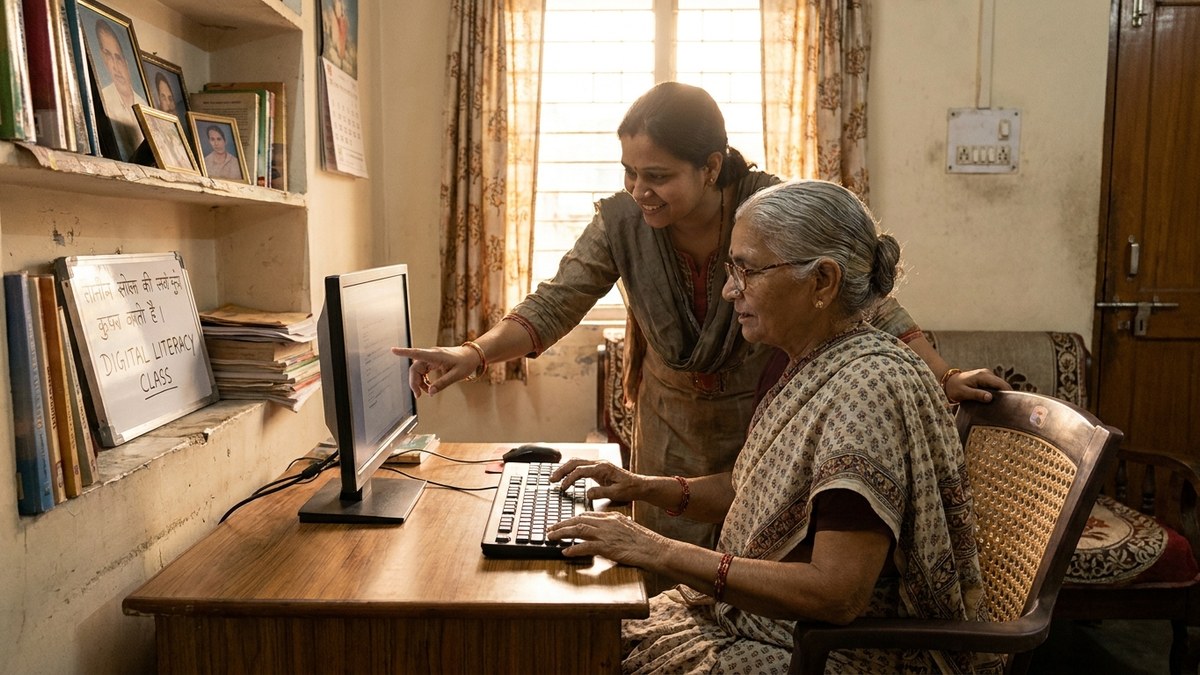
The Role of Equipment: Why Your Setup Matters
Here is what nobody tells you: a bad keyboard kills your pace. If your keys stick, if the layout feels wrong, if your monitor is too low or too high, your hands tense up. Tension destroys accuracy. You fail.
When you set up a home learning space or a community learning centre (POD), invest in a proper keyboard and monitor. Your fingers spend hours on that keyboard. It must be comfortable. The monitor must sit at eye level. The chair must support your back. This is not luxury. This is equipment for success.
If you are running a POD or preparing students for government exams at home, read our guide on choosing the right computer setup for home learning. It covers keyboard, monitor, posture, and lighting. Get this right, and your students will work longer without fatigue. If data entry practice is part of their plan, also read whether an Excel course certificate is worth it before you spend money on extra training.
For a complete solution, consider APNA PC. It is a Rs.30,000 bundle that includes a Mini PC (i3 7th Gen, 8GB RAM, 128GB SSD), monitor, keyboard, mouse, webcam, headset, education software, 3-year warranty, and installation. No hunting for parts. No compatibility headaches. Plug in and start practising.
Free Resources to Boost Your Speed
You do not need paid typing courses. The government backs free learning platforms. The DIKSHA learning platform offers modules aligned with school and vocational standards. The Digital India initiative has pushed basic digital skills, including keyboard use, as part of digital literacy. Use these. They are free. They work.
Many states also offer typing courses through ITIs and community centres. The quality varies, but combined with daily home practice, even a basic course helps.
The Final Truth About Typing Speed and Government Exams
Typing speed for government exams is achievable. It is not a barrier. It is a skill. And skills are built, not inherited. Whether you are a homemaker returning to work, a senior citizen learning technology late in life, a tuition teacher upskilling, or an edupreneur running a learning centre, you can master it.
But success comes down to four things: clarity on your exact requirement, 15 to 20 minutes of daily practice, accuracy before pace, and proper equipment. Get all four right, and you will pass.
Start today. Not tomorrow. Today. Pick your exam. Check the notification. Find the exact requirement. Set up your practice schedule. And type.
If you are coaching students or running a POD, equip them properly. The APNA PC bundle removes every excuse. No “The keyboard is broken.” No “The monitor hurts my eyes.” Everything is included. Your students can focus on what matters: building the skill and passing the test.